

Interstitial Ad Format
Full-screen ads that cover the entire app interface. Includes both image and video ads (video more common), typically skippable after 5 seconds.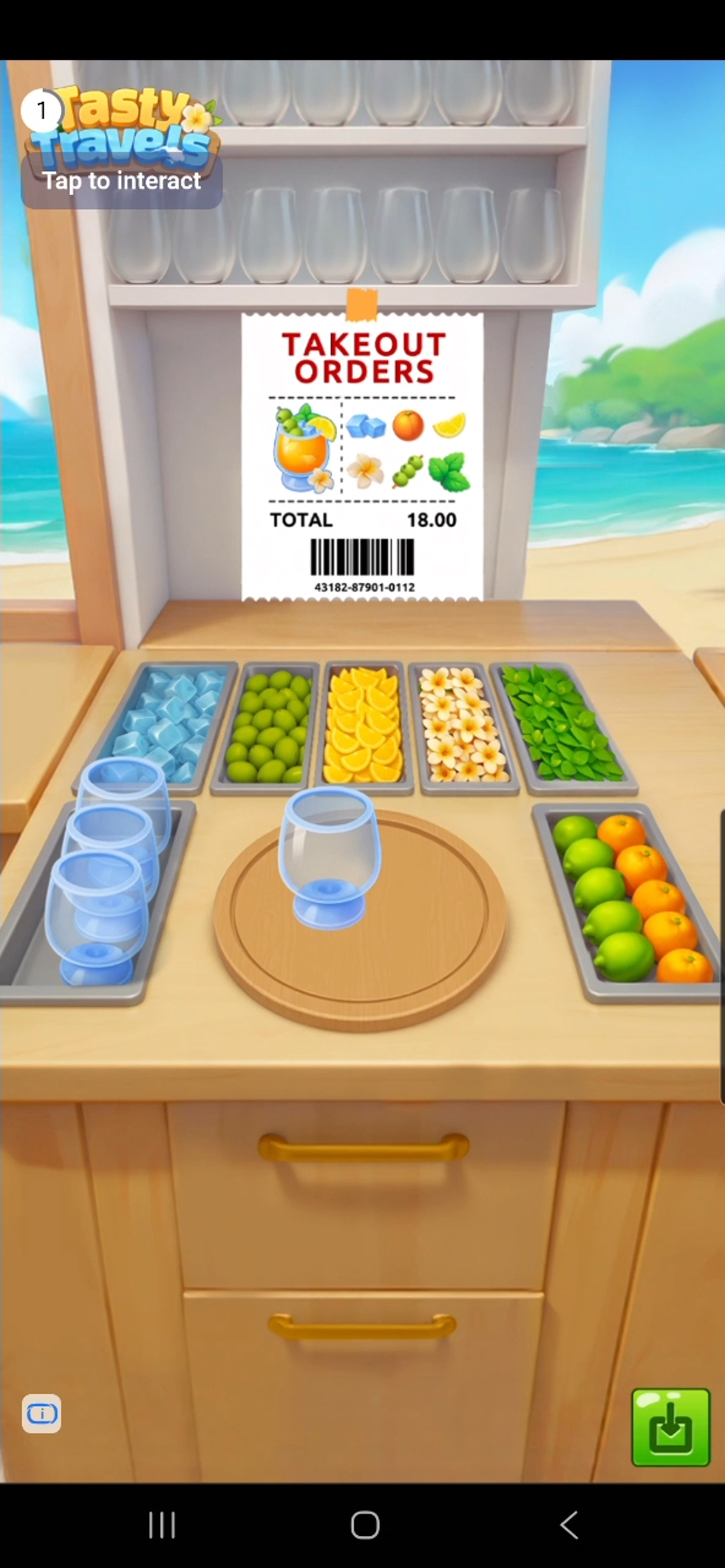
How It Works

Integrating Ads
1
Create adUnit
val adUnit = DaroInterstitialAdUnit(
    key = ${AdUnitId},
    placement = ${placement}, // Name displayed in logs. Can be left empty.
)
2
Create Loader and load ad
val loader = DaroInterstitialAdLoader(
    context = context,
    adUnit = adUnit
)
loader.setListener(object : DaroInterstitialAdLoaderListener {
    override fun onAdLoadSuccess(ad: DaroInterstitialAd, adInfo: DaroAdInfo) {
        // ...
    }
    override fun onAdLoadFail(err: DaroAdLoadError) {
        // ...
    }
})
loader.load()
3
Set listener and show ad
loader.setListener(object : DaroInterstitialAdLoaderListener {
    override fun onAdLoadSuccess(ad: DaroInterstitialAd, adInfo: DaroAdInfo) {
        ad.setListener(object : DaroInterstitialAdListener {
            override fun onAdImpression(adInfo: DaroAdInfo) {}
            override fun onAdClicked(adInfo: DaroAdInfo) {}
            override fun onShown(adInfo: DaroAdInfo) {}
            override fun onFailedToShow(adInfo: DaroAdInfo, error: DaroAdDisplayFailError) {}
            override fun onDismiss(adInfo: DaroAdInfo) {}
        })
        ad.show(activity = this@MainActivity)
    }
    override fun onAdLoadFail(err: DaroAdLoadError) {}
})
4
Call destroy after ad viewing is complete
ad.destroy()
Example
private fun showInterstitialAd() {
  DaroInterstitialAdLoader(
    context = context,
    adUnit = DaroInterstitialAdUnit(
      key = ${AdUnitId},
      placement = ${placement},
    ),
  ).apply {
    setListener(
      object : DaroInterstitialAdLoaderListener {
        override fun onAdLoadSuccess(
          ad: DaroInterstitialAd,
          adInfo: DaroAdInfo,
        ) {
          Log.d("Ad Test", "interstitial - success")

          ad.setListener(object : DaroInterstitialAdListener {
            override fun onAdImpression(adInfo: DaroAdInfo) {
              Log.d("Ad Test", "interstitial - impression")
            }

            override fun onAdClicked(adInfo: DaroAdInfo) {
              Log.d("Ad Test", "interstitial - clicked")
            }

            override fun onShown(adInfo: DaroAdInfo) {
              Log.d("Ad Test", "interstitial - onShown")
            }

            override fun onFailedToShow(
              adInfo: DaroAdInfo,
              error: DaroAdDisplayFailError,
            ) {
              Log.d("Ad Test", "interstitial - onFailedToShow")
            }

            override fun onDismiss(adInfo: DaroAdInfo) {
              Log.d("Ad Test", "interstitial - onDismiss")
              ad.destroy()
            }
          })

          ad.show(activity = this@MainActivity)
        }

        override fun onAdLoadFail(err: DaroAdLoadError) {
          Log.d("Ad Test", "interstitial - fail : ${err.message}")
        }

      }
    )
    load()
  }
}
Troubleshooting: Ad Close Button Overlap Issue
When displaying interstitial ads using the DARO Android SDK, some ad creatives may visually overlap with the Status Bar or display cutout (notch, punch-hole) area.
The following guide shows how to hide the Status Bar only while the ad is displayed and restore it once the ad is dismissed.
// Before showing ad - hide status bar
private fun hideStatusBar(activity: Activity) {
    WindowCompat.setDecorFitsSystemWindows(activity.window, false)
    WindowInsetsControllerCompat(activity.window, activity.window.decorView).apply {
        hide(WindowInsetsCompat.Type.statusBars())
        systemBarsBehavior = WindowInsetsControllerCompat.BEHAVIOR_SHOW_TRANSIENT_BARS_BY_SWIPE
    }
}

// After ad closes - restore status bar
private fun showStatusBar(activity: Activity) {
    WindowCompat.setDecorFitsSystemWindows(activity.window, true)
    WindowInsetsControllerCompat(activity.window, activity.window.decorView).apply {
        show(WindowInsetsCompat.Type.statusBars())
    }
}
ad.setListener(object : DaroInterstitialAdListener {
    override fun onAdImpression(adInfo: DaroAdInfo) {}
    override fun onAdClicked(adInfo: DaroAdInfo) {}
    override fun onShown(adInfo: DaroAdInfo) {
        hideStatusBar(activity)  // Defensive re-hide
    }
    override fun onFailedToShow(adInfo: DaroAdInfo, error: DaroAdDisplayFailError) {
        showStatusBar(activity)  // Restore on failure
    }
    override fun onDismiss(adInfo: DaroAdInfo) {
        showStatusBar(activity)  // Restore on dismiss
        ad.destroy()
    }
})

hideStatusBar(activity)  // Call just before show()
ad.show(activity = this@MainActivity)