

Before You Begin
Check requirements before integration.Requirements
- Android minSdkVersion: 23
Verify app-ads.txt setup before proceeding.
Configure Your App
1
Project-level build configuration
- Add maven repositories to the
settings.gradlefile.
- Non-Reward
- Reward
2
Add the DARO plugin to build.gradle(root)
- Add the DARO plugin to the
build.gradle(root)file.
Latest version
- daro-plugin :
- Non-Reward
- Reward
3
Add Daro SDK
- Add the Daro SDK.
- Non-Reward
- Reward
Latest version
- daro-a :
- daro-compose-util :
4
Add android-daro-key.txt file
- Add the
android-daro-key.txtfile.
- General
- Separate configuration per flavor/buildType
android-daro-key.txt can be downloaded from the DARO dashboard.5
Configure daroAppKey
- Configure daroAppKey.
- General
- Separate configuration per flavor/buildType
daroAppKey can be found in the DARO dashboard.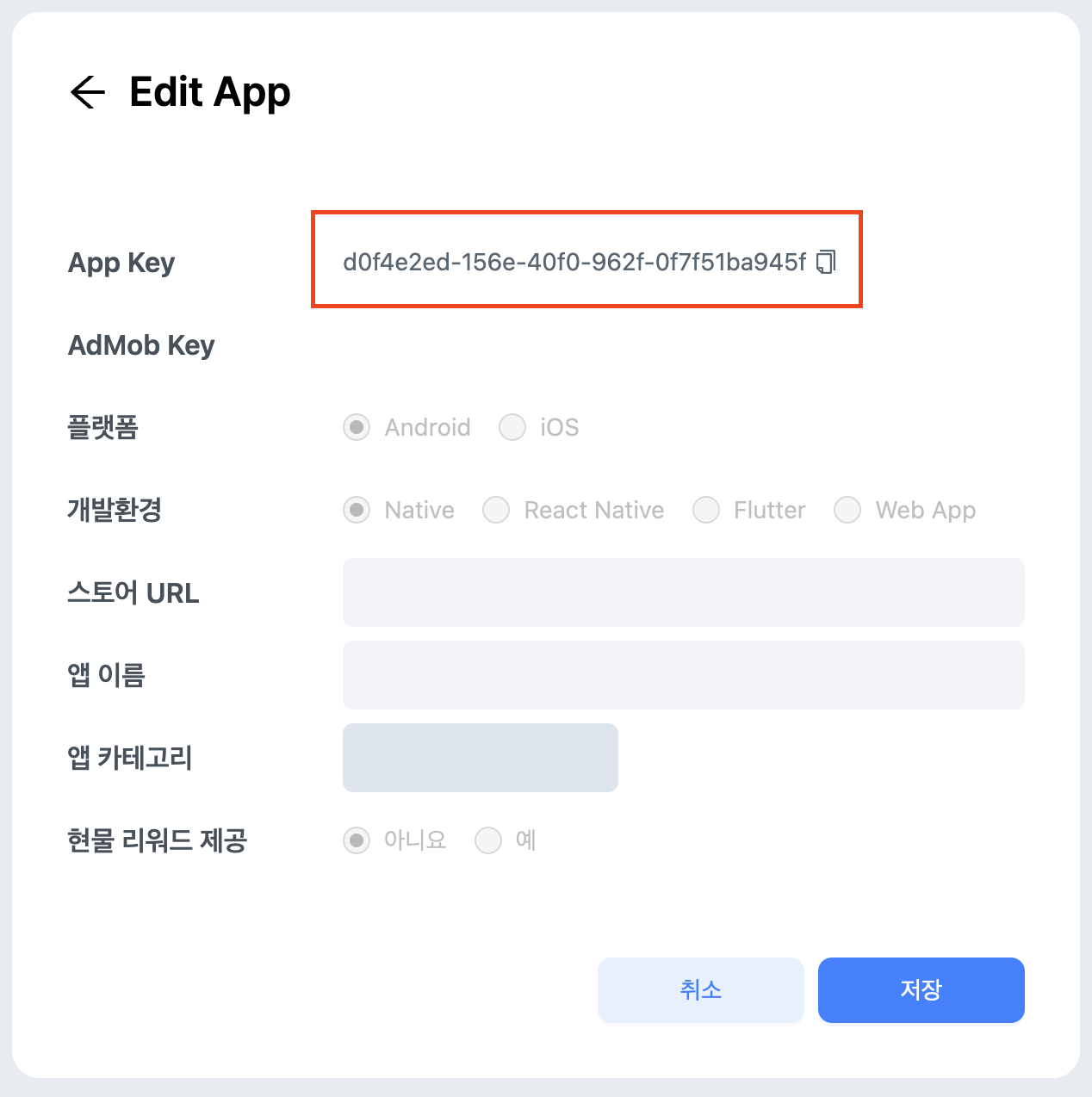
6
Apply the DARO plugin to build.gradle(app)
- Apply the DARO plugin to
build.gradle(app).
- Non-Reward
- Reward
7
Apply ProGuard rules if needed
- The daro SDK includes the following obfuscation rules in consumer-rules.pro, which are automatically merged during app build when adding the AAR via Gradle.
- If you want to modify the obfuscation rules, please refer to the content below and apply them to your proguard-rules.pro file.
- Non-Reward
- Reward
Initialize SDK
App Mute Setting
For app open, banner, interstitial, rewarded, rewarded interstitial, and native ad formats, you can use thesetAppMuted(...) method to inform the Daro SDK that the app volume has been muted.