

Rewarded Video Ad Format
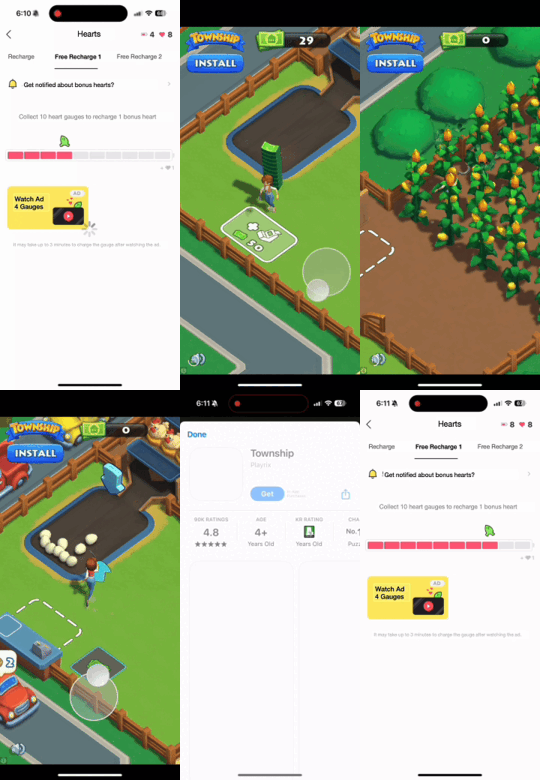
Provides in-app rewards (currency, features, content) in exchange for watching video ads. Videos are non-skippable and typically run 30 seconds.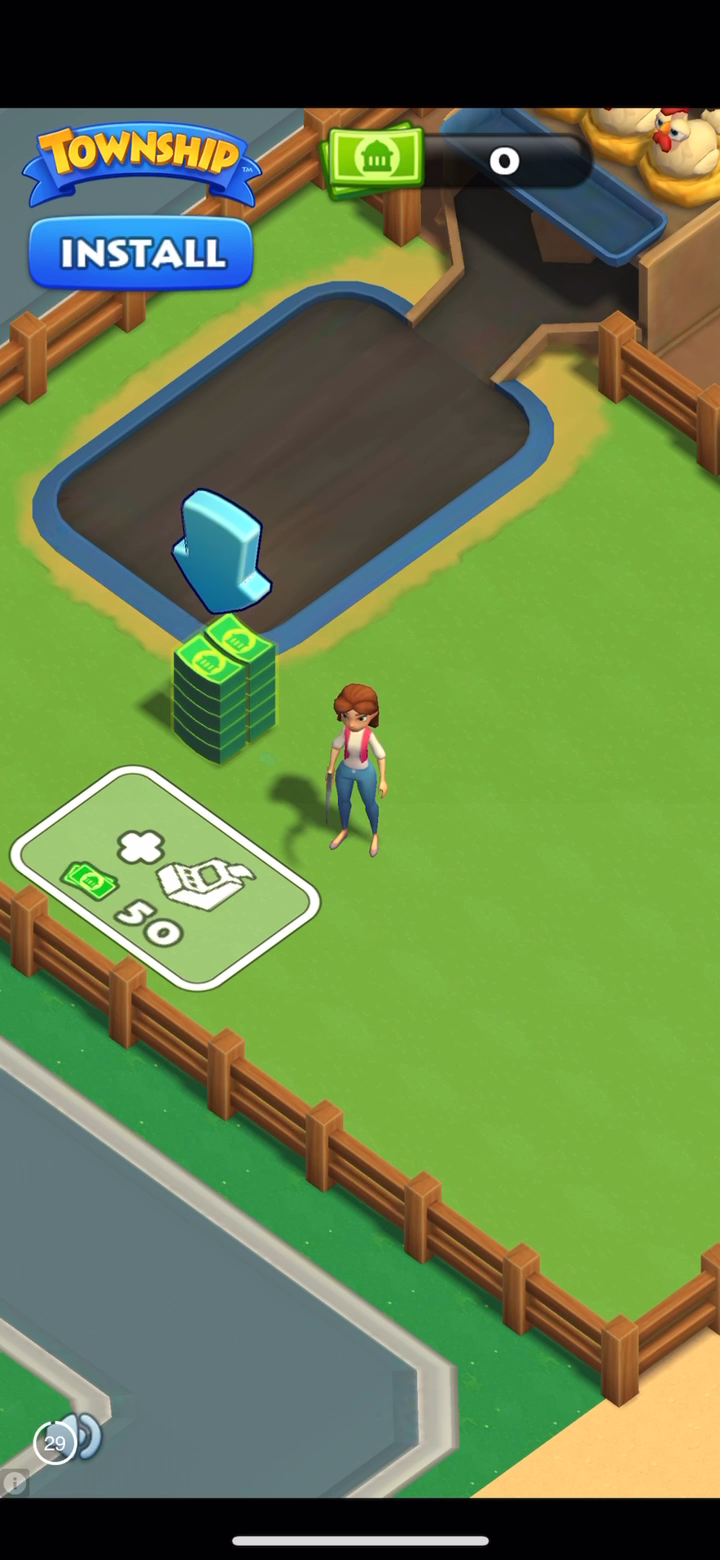
How It Works
Ad Unit Setup
Configure your Ad Unit using thead unit ID issued from the dashboard.
- Swift
- Objective-C
let rewardAdUnit = DaroAdUnit(unitId: "your_rewarded_unit_id")
// In Objective-C, unitId is passed directly during initialization
NSString *rewardedUnitId = @"your_rewarded_unit_id";
Ad Implementation
- Swift
- Objective-C
class ExampleViewController: UIViewController {
    private var daroRewardedAd: DaroRewardedAd? = nil
    let daroRewardedLoader = DaroRewardedAdLoader(unit: rewardAdUnit)

    override func viewDidLoad() {
        super.viewDidLoad()
        setupRewardedAd()
    }

    private func setupRewardedAd() {
        // Ad load success listener
        daroRewardedLoader.listener.onAdLoadSuccess = { [weak self] ad, adInfo in
            print("[DARO] Listener Reward Ad loaded: \(ad) \(adInfo)")
            self?.showAd(ad: ad)
        }

        // Ad click listener
        daroRewardedLoader.listener.onAdClicked = { adInfo in
            print("[DARO] Listener Reward Ad clicked: \(adInfo)")
        }

        // Ad impression listener
        daroRewardedLoader.listener.onAdImpression = { adInfo in
            print("[DARO] Listener Reward Ad impression: \(adInfo)")
        }

        // Ad load fail listener
        daroRewardedLoader.listener.onAdLoadFail = { error in
            print("[DARO] Listener Reward Ad failed: \(error)")
        }

        daroRewardedLoader.loadAd()
    }

    private func showAd(ad: DaroRewardedAd) {
        self.daroRewardedAd = ad

        // Reward earned listener
        self.daroRewardedAd?.rewardedAdListener.onEarnedReward = { adInfo, rewardedItem in
            print("[DARO] Listener Reward Ad earned: \(adInfo) \(rewardedItem)")
        }

        // Ad show success listener
        self.daroRewardedAd?.rewardedAdListener.onShown = { adInfo in
            print("[DARO] Listener Reward Ad shown: \(adInfo)")
        }

        // Ad dismiss listener
        self.daroRewardedAd?.rewardedAdListener.onDismiss = { adInfo in
            print("[DARO] Listener Reward Ad dismissed: \(adInfo)")
        }

        // Ad show fail listener
        self.daroRewardedAd?.rewardedAdListener.onFailedToShow = { adInfo, error in
            print("[DARO] Listener Reward Ad failed to show: \(adInfo) \(error)")
        }

        showRewardedAd()
    }

    private func showRewardedAd() {
        daroRewardedAd?.show(viewController: self)
    }
}
1. Adopt the delegate protocol in your header file:2. Setup and load rewarded video ad:3. Implement delegate methods:4. Show ad:
@interface ExampleViewController () <DaroObjCRewardedAdDelegate>
@property (nonatomic, strong) DaroObjCRewardedAd *rewardedAd;
@end
- (void)setupRewardedAd {
    self.rewardedAd = [[DaroObjCRewardedAd alloc]
        initWithAdUnitId:@"your_rewarded_unit_id"];
    self.rewardedAd.delegate = self;

    // Load ad
    [self.rewardedAd load];
}
#pragma mark - DaroObjCRewardedAdDelegate

- (void)rewardedAdDidLoad:(DaroObjCRewardedAd *)ad
                   adInfo:(DaroObjCAdInfo *)adInfo {
    NSLog(@"[DARO] Rewarded ad loaded - Unit: %@", adInfo.adUnitId);
}

- (void)rewardedAdDidFail:(DaroObjCRewardedAd *)ad
                   toLoad:(NSError *)error {
    NSLog(@"[DARO] Failed to load: %@", error.localizedDescription);
}

- (void)rewardedAdDidShow:(DaroObjCRewardedAd *)ad
                   adInfo:(DaroObjCAdInfo *)adInfo {
    NSLog(@"[DARO] Rewarded ad shown");
}

- (void)rewardedAdDidFail:(DaroObjCRewardedAd *)ad
                   toShow:(DaroObjCAdInfo *)adInfo
                    error:(NSError *)error {
    NSLog(@"[DARO] Failed to show: %@", error.localizedDescription);
}

- (void)rewardedAdDidClick:(DaroObjCRewardedAd *)ad
                    adInfo:(DaroObjCAdInfo *)adInfo {
    NSLog(@"[DARO] Rewarded ad clicked");
}

- (void)rewardedAdDidRecordImpression:(DaroObjCRewardedAd *)ad
                               adInfo:(DaroObjCAdInfo *)adInfo {
    NSLog(@"[DARO] Impression recorded");
}

- (void)rewardedAdDidEarnReward:(DaroObjCRewardedAd *)ad
                         adInfo:(DaroObjCAdInfo *)adInfo
                   rewardedItem:(DaroObjCRewardedItem *)rewardedItem {
    NSLog(@"[DARO] Reward earned! Type: %@, Amount: %d",
          rewardedItem.rewardType, rewardedItem.amount);
}

- (void)rewardedAdDidDismiss:(DaroObjCRewardedAd *)ad
                      adInfo:(DaroObjCAdInfo *)adInfo {
    NSLog(@"[DARO] Rewarded ad dismissed");
}
- (void)showRewardedAd {
    if (self.rewardedAd.isReady) {
        [self.rewardedAd showFrom:self];
    } else {
        NSLog(@"[DARO] Ad is not ready to show");
    }
}
Reward Item Structure
The reward item delivered upon completion of watching a rewarded video ad has the following structure:- Swift
- Objective-C
struct DaroRewardedItem {
    let amount: Int           // Reward amount
    let rewardType: String    // Reward type (e.g., "coin", "gem", "energy", etc.)
}
@interface DaroObjCRewardedItem : NSObject

@property (nonatomic, assign, readonly) NSInteger amount;      // Reward amount
@property (nonatomic, strong, readonly) NSString *rewardType;  // Reward type (e.g., "coin", "gem", "energy", etc.)

@end
Additional Features
Setting User Identifier
The following code shows how to tag a user’s internal User ID. The maximum size of the User ID string is 8192 characters.- Swift
- Objective-C
DaroAds.shared.userId = "user_id"
[DaroObjCAds shared].userId = @"user_id";
Setting Placement
You can set a placement before showing the ad.- Swift
- Objective-C
daroRewardedAd?.setPlacement("your_rewarded_placement")
daroRewardedAd?.show(viewController: self)
[self.rewardedAd setPlacement:@"your_rewarded_placement"];
[self.rewardedAd showFrom:self];
Setting Custom Data
You can add custom data to rewarded video ads. This data can be used in server-side callbacks.- Swift
- Objective-C
daroRewardedAd?.setCustomData("your_custom_data")
daroRewardedAd?.show(viewController: self)
[self.rewardedAd setCustomData:@"your_custom_data"];
[self.rewardedAd showFrom:self];
Troubleshooting: Ad Close Button Overlap Issue
When displaying rewarded video ads using the DARO iOS SDK, some ad creatives may visually overlap with the top Safe Area or Status Bar.
The following guide shows how to hide the Status Bar only while the ad is displayed and restore it once the ad is dismissed.
- Swift
- Objective-C
1. Add status bar control properties to your ViewController:2. Hide status bar before showing ad and restore in callbacks:
class ExampleViewController: UIViewController {
    private var isAdShowing = false

    override var prefersStatusBarHidden: Bool {
        return isAdShowing
    }

    override var childForStatusBarHidden: UIViewController? {
        return presentedViewController
    }
}
private func showAd(ad: DaroRewardedAd) {
    self.daroRewardedAd = ad

    self.daroRewardedAd?.rewardedAdListener.onEarnedReward = { adInfo, rewardedItem in
        print("[DARO] Reward Ad earned: \(adInfo) \(rewardedItem)")
    }

    self.daroRewardedAd?.rewardedAdListener.onShown = { [weak self] adInfo in
        print("[DARO] Reward Ad shown")
    }

    self.daroRewardedAd?.rewardedAdListener.onDismiss = { [weak self] adInfo in
        self?.isAdShowing = false
        self?.setNeedsStatusBarAppearanceUpdate()
    }

    self.daroRewardedAd?.rewardedAdListener.onFailedToShow = { [weak self] adInfo, error in
        self?.isAdShowing = false
        self?.setNeedsStatusBarAppearanceUpdate()
    }

    // Hide status bar just before show()
    isAdShowing = true
    setNeedsStatusBarAppearanceUpdate()
    daroRewardedAd?.show(viewController: self)
}
1. Add property to header file:2. Override status bar control methods:3. Hide before showing ad and restore in callbacks:
@interface ExampleViewController ()
@property (nonatomic, assign) BOOL adShowing;
@end
- (BOOL)prefersStatusBarHidden {
    return self.adShowing;
}

- (UIViewController *)childViewControllerForStatusBarHidden {
    return self.presentedViewController;
}
- (void)showRewardedAd {
    // Hide status bar just before show()
    self.adShowing = YES;
    [self setNeedsStatusBarAppearanceUpdate];

    [self.rewardedAd showFrom:self];
}

// Restore on dismiss
- (void)rewardedAdDidDismiss:(DaroObjCRewardedAd *)ad
                      adInfo:(DaroObjCAdInfo *)adInfo {
    self.adShowing = NO;
    [self setNeedsStatusBarAppearanceUpdate];
}

// Restore on show failure
- (void)rewardedAdDidFail:(DaroObjCRewardedAd *)ad
                   toShow:(DaroObjCAdInfo *)adInfo
                    error:(NSError *)error {
    self.adShowing = NO;
    [self setNeedsStatusBarAppearanceUpdate];
}