

Interstitial Ad Format
Full-screen ads that cover the entire app interface. Includes both image and video ads (video more common), typically skippable after 5 seconds.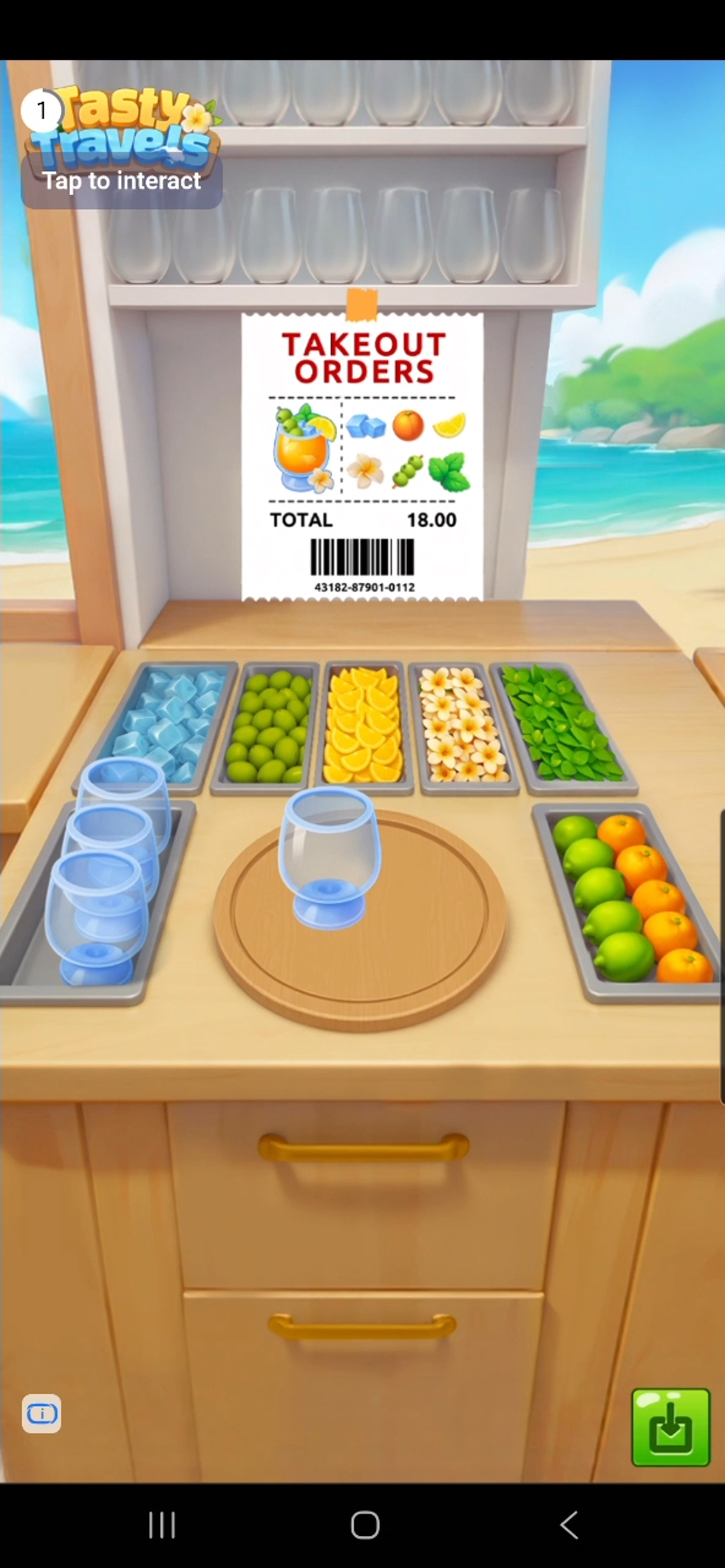
How It Works

Ad Unit Setup
Configure your ad unit using thead unit ID issued from the dashboard.
- Swift
- Objective-C
let interstitialUnit = DaroAdUnit(unitId: "your_interstitial_unit_id")
// In Objective-C, unitId is passed directly during initialization
NSString *interstitialUnitId = @"your_interstitial_unit_id";
Ad Implementation
- Swift
- Objective-C
class ExampleViewController: UIViewController {
    private var daroInterstitialAd: DaroInterstitialAd? = nil
    let daroInterstitialLoader = DaroInterstitialAdLoader(unit: interstitialUnit)

    override func viewDidLoad() {
        super.viewDidLoad()
        setupInterstitialAd()
    }

    private func setupInterstitialAd() {
        // Ad load success listener
        daroInterstitialLoader.listener.onAdLoadSuccess = { [weak self] ad, adInfo in
            print("[DARO] Listener Interstitial Ad loaded: \(ad) \(adInfo)")
            self?.showAd(ad: ad)
        }

        // Ad click listener
        daroInterstitialLoader.listener.onAdClicked = { adInfo in
            print("[DARO] Listener Interstitial Ad clicked: \(adInfo)")
        }

        // Ad impression listener
        daroInterstitialLoader.listener.onAdImpression = { adInfo in
            print("[DARO] Listener Interstitial Ad impression: \(adInfo)")
        }

        // Ad load fail listener
        daroInterstitialLoader.listener.onAdLoadFail = { error in
            print("[DARO] Listener Interstitial Ad failed: \(error)")
        }
        daroInterstitialLoader.loadAd()
    }

    private func showAd(ad: DaroInterstitialAd) {
        self.daroInterstitialAd = ad

        // Ad show success listener
        self.daroInterstitialAd?.interstitialListener.onShown = { adInfo in
            print("[DARO] Listener Interstitial Ad shown: \(adInfo)")
        }

        // Ad dismiss listener
        self.daroInterstitialAd?.interstitialListener.onDismiss = { adInfo in
            print("[DARO] Listener Interstitial Ad dismissed: \(adInfo)")
        }

        // Ad show fail listener
        self.daroInterstitialAd?.interstitialListener.onFailedToShow = { adInfo, error in
            print("[DARO] Listener Interstitial Ad failed to show: \(adInfo) \(error)")
        }
        showInterstitialAd()
    }

    private func showInterstitialAd() {
        daroInterstitialAd?.show(viewController: self)
    }
}
1. Adopt the delegate protocol in your header file:2. Setup and load interstitial ad:3. Implement delegate methods:4. Show ad:
@interface ExampleViewController () <DaroObjCInterstitialAdDelegate>
@property (nonatomic, strong) DaroObjCInterstitialAd *interstitialAd;
@end
- (void)setupInterstitialAd {
    self.interstitialAd = [[DaroObjCInterstitialAd alloc]
        initWithAdUnitId:@"your_interstitial_unit_id"];
    self.interstitialAd.delegate = self;

    // Load ad
    [self.interstitialAd load];
}
#pragma mark - DaroObjCInterstitialAdDelegate

- (void)interstitialAdDidLoad:(DaroObjCInterstitialAd *)ad
                       adInfo:(DaroObjCAdInfo *)adInfo {
    NSLog(@"[DARO] Interstitial ad loaded - Unit: %@", adInfo.adUnitId);
}

- (void)interstitialAdDidFail:(DaroObjCInterstitialAd *)ad
                        toLoad:(NSError *)error {
    NSLog(@"[DARO] Failed to load: %@", error.localizedDescription);
}

- (void)interstitialAdDidShow:(DaroObjCInterstitialAd *)ad
                       adInfo:(DaroObjCAdInfo *)adInfo {
    NSLog(@"[DARO] Interstitial ad shown");
}

- (void)interstitialAdDidFail:(DaroObjCInterstitialAd *)ad
                        toShow:(DaroObjCAdInfo *)adInfo
                         error:(NSError *)error {
    NSLog(@"[DARO] Failed to show: %@", error.localizedDescription);
}

- (void)interstitialAdDidClick:(DaroObjCInterstitialAd *)ad
                        adInfo:(DaroObjCAdInfo *)adInfo {
    NSLog(@"[DARO] Interstitial ad clicked");
}

- (void)interstitialAdDidRecordImpression:(DaroObjCInterstitialAd *)ad
                                   adInfo:(DaroObjCAdInfo *)adInfo {
    NSLog(@"[DARO] Impression recorded");
}

- (void)interstitialAdDidDismiss:(DaroObjCInterstitialAd *)ad
                          adInfo:(DaroObjCAdInfo *)adInfo {
    NSLog(@"[DARO] Interstitial ad dismissed");
}
- (void)showInterstitialAd {
    if (self.interstitialAd.isReady) {
        [self.interstitialAd showFrom:self];
    } else {
        NSLog(@"[DARO] Ad is not ready to show");
    }
}
Troubleshooting: Ad Close Button Overlap Issue
When displaying interstitial ads using the DARO iOS SDK, some ad creatives may visually overlap with the top Safe Area or Status Bar.
The following guide shows how to hide the Status Bar only while the ad is displayed and restore it once the ad is dismissed.
- Swift
- Objective-C
1. Add status bar control properties to your ViewController:2. Hide status bar before showing ad and restore in callbacks:
class ExampleViewController: UIViewController {
    private var isAdShowing = false

    override var prefersStatusBarHidden: Bool {
        return isAdShowing
    }

    override var childForStatusBarHidden: UIViewController? {
        return presentedViewController
    }
}
private func showAd(ad: DaroInterstitialAd) {
    self.daroInterstitialAd = ad

    self.daroInterstitialAd?.interstitialListener.onShown = { [weak self] adInfo in
        print("[DARO] Interstitial Ad shown")
    }

    self.daroInterstitialAd?.interstitialListener.onDismiss = { [weak self] adInfo in
        self?.isAdShowing = false
        self?.setNeedsStatusBarAppearanceUpdate()
    }

    self.daroInterstitialAd?.interstitialListener.onFailedToShow = { [weak self] adInfo, error in
        self?.isAdShowing = false
        self?.setNeedsStatusBarAppearanceUpdate()
    }

    // Hide status bar just before show()
    isAdShowing = true
    setNeedsStatusBarAppearanceUpdate()
    daroInterstitialAd?.show(viewController: self)
}
1. Add property to header file:2. Override status bar control methods:3. Hide before showing ad and restore in callbacks:
@interface ExampleViewController ()
@property (nonatomic, assign) BOOL adShowing;
@end
- (BOOL)prefersStatusBarHidden {
    return self.adShowing;
}

- (UIViewController *)childViewControllerForStatusBarHidden {
    return self.presentedViewController;
}
- (void)showInterstitialAd {
    // Hide status bar just before show()
    self.adShowing = YES;
    [self setNeedsStatusBarAppearanceUpdate];

    [self.interstitialAd showFrom:self];
}

// Restore on dismiss
- (void)interstitialAdDidDismiss:(DaroObjCInterstitialAd *)ad
                          adInfo:(DaroObjCAdInfo *)adInfo {
    self.adShowing = NO;
    [self setNeedsStatusBarAppearanceUpdate];
}

// Restore on show failure
- (void)interstitialAdDidFail:(DaroObjCInterstitialAd *)ad
                        toShow:(DaroObjCAdInfo *)adInfo
                         error:(NSError *)error {
    self.adShowing = NO;
    [self setNeedsStatusBarAppearanceUpdate];
}