

-
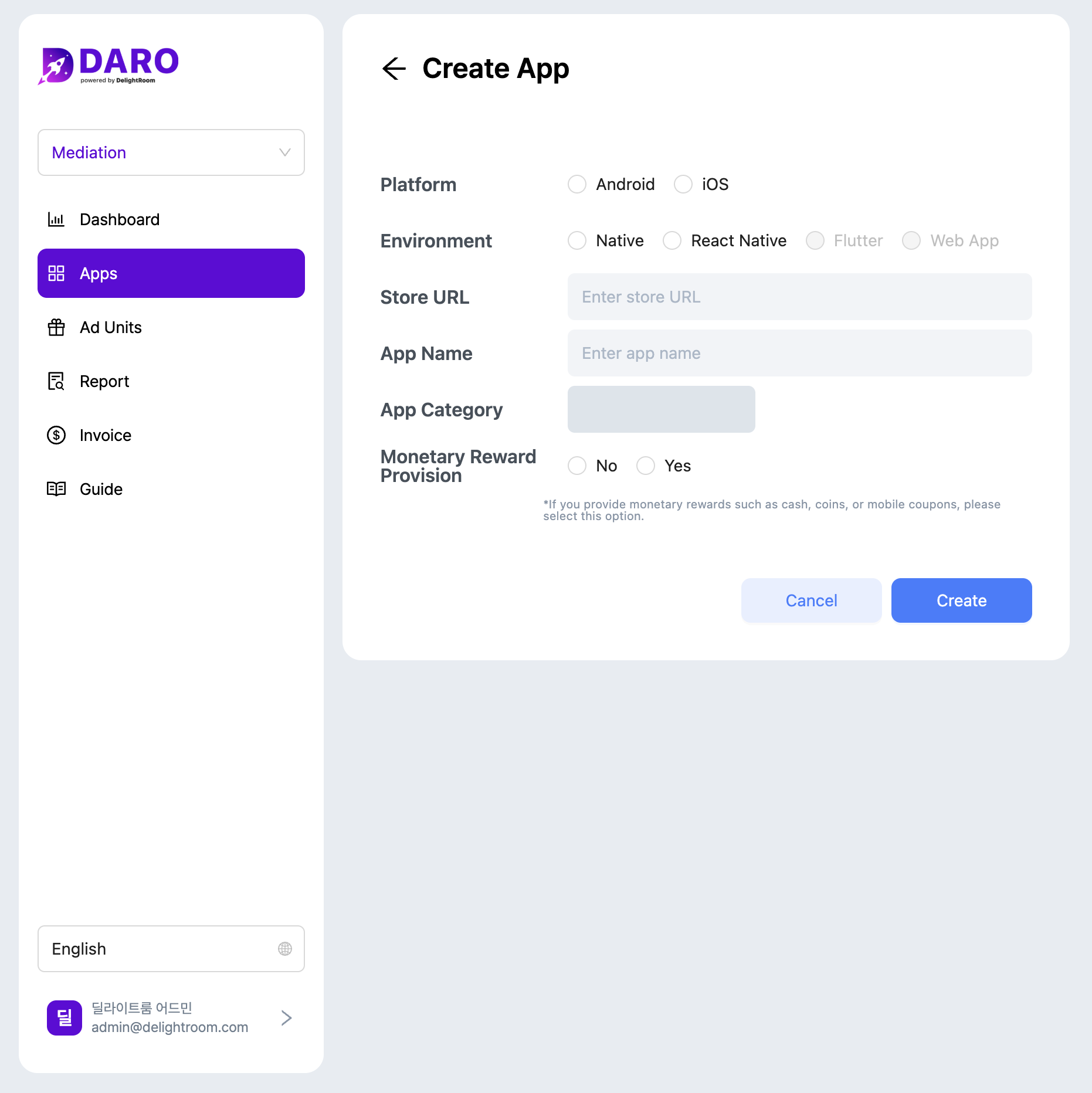
Navigate to Apps and click Add App.
-
Select platform and development environment, then enter store URL and app name.
- Platform: Choose Android or iOS. Apps supporting both platforms require separate registration.
- Development Environment: DARO supports Native (Kotlin, Swift), React Native, and Flutter. Web Apps are not supported.
- App Category: Automatically populated from store listing.
- Physical Rewards: Select ‘Yes’ if you offer or plan to offer physical rewards. Otherwise, select ‘No’ and click Add.
Physical Rewards: Disclose if users can exchange in-app currency for physical rewards or receive physical rewards directly. This is required for ad demand policy compliance.
Dashboard
Register an App
Register and manage apps from a single DARO account.
Register your app: