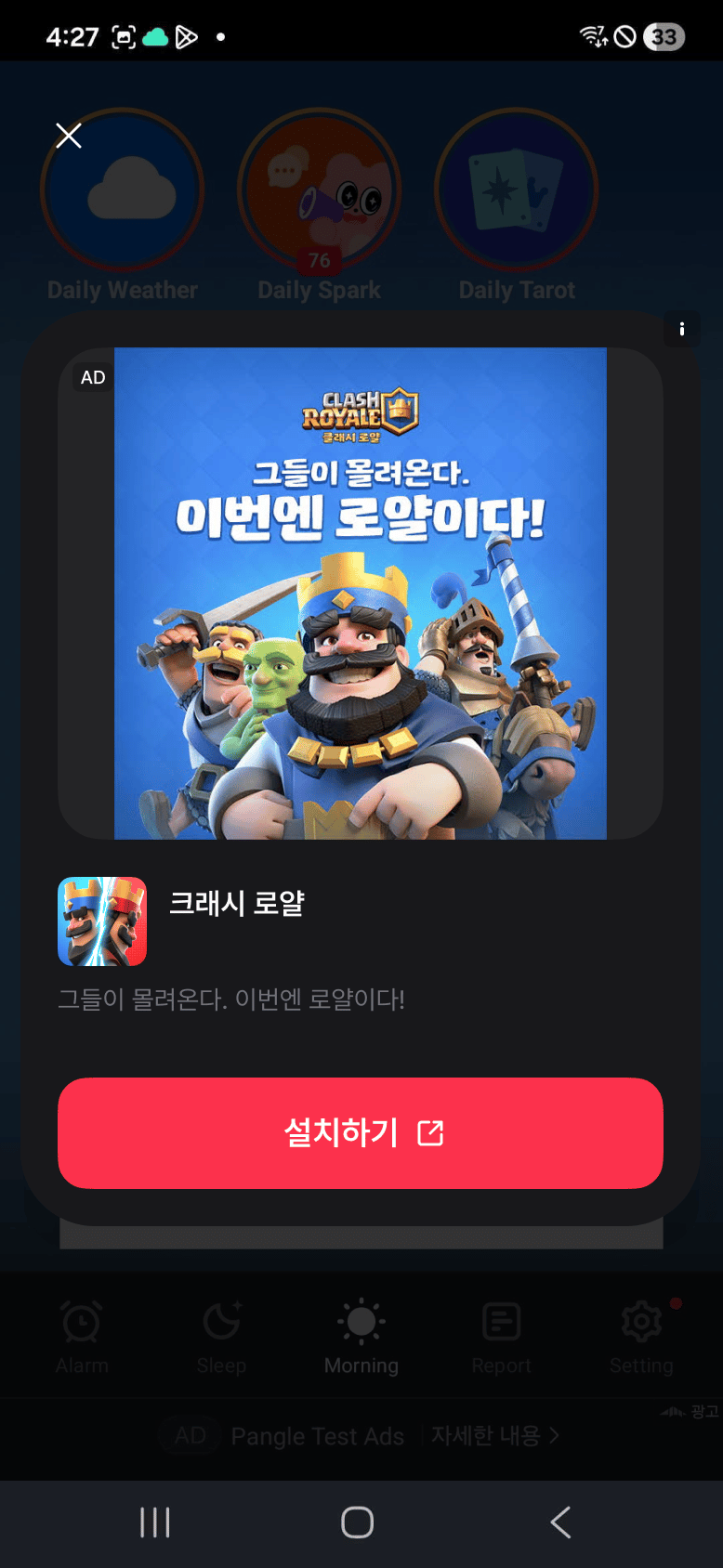
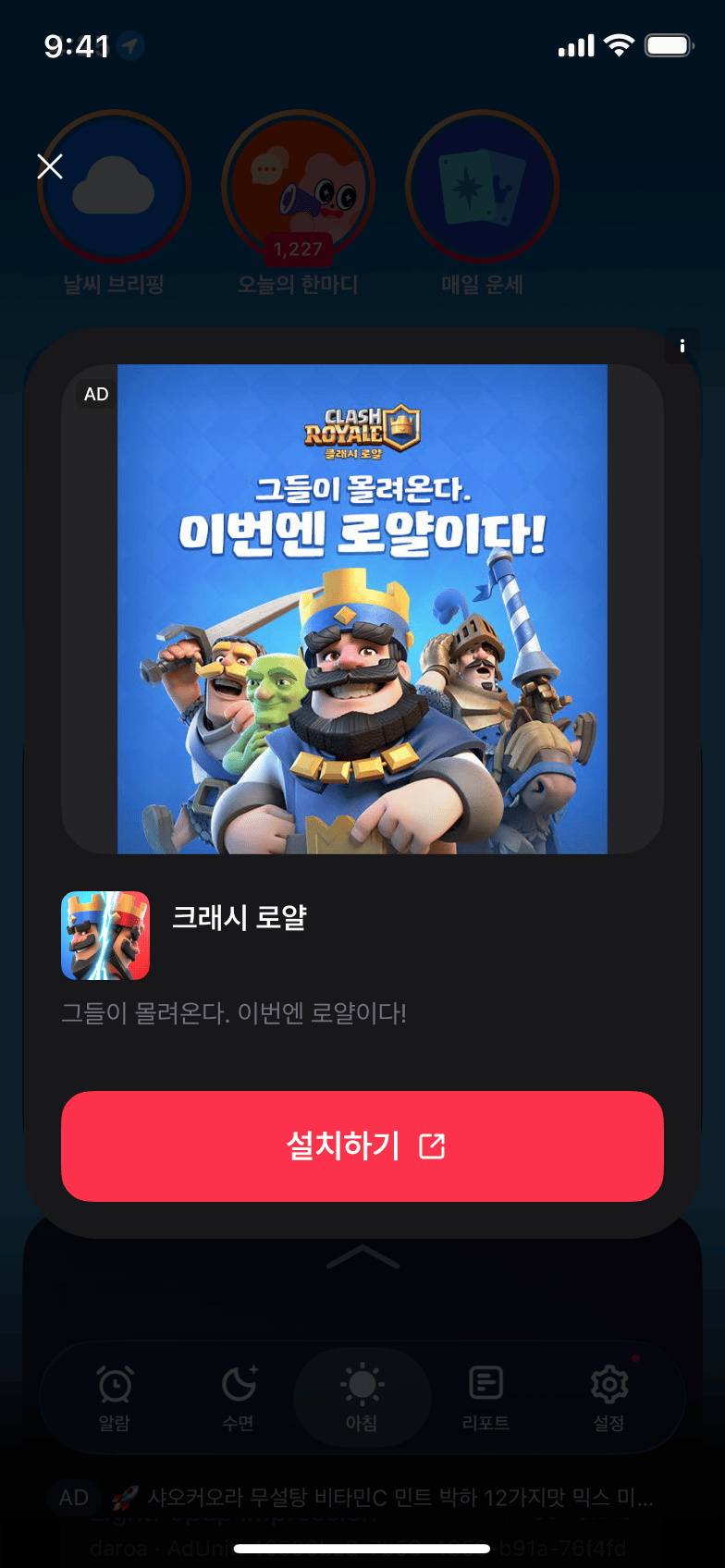
라이트 팝업 광고는 Hook API로 사용합니다. 컴포넌트 내부에서 useLightPopupAd를 사용하면 로딩 상태와 광고 커스터마이징 옵션을 함께 관리할 수 있습니다.
기존의 정적 API(LightPopupAd.loadAd 등)는 deprecated입니다. 정적 리스너(LightPopupAd.addAdLoadedEventListener 등)는 Hook이나 인스턴스 API로 로드한 광고의 이벤트를 받지 못하니, 광고 로드를 새 API로 옮길 때 이벤트 리스너도 함께 옮겨주세요.
import { Button } from "react-native";import { useLightPopupAd } from "react-native-daro";function LightPopupAdButton({ adUnitId }) { const { isLoaded, isLoading, load, show, isAdReady } = useLightPopupAd( adUnitId, { onLoaded: (adInfo) => { // 광고 로드 성공 }, onLoadFailed: (errorInfo) => { // 광고 로드 실패 }, onHidden: (adInfo) => { // 광고 닫힘 }, onImpressionRecorded: (adInfo) => { // 광고 impression 기록 }, } ); const handlePress = async () => { if (await isAdReady()) { show(); return; } load({ configuration: { closeButtonText: "Close AD", ctaButtonBackgroundColor: "#4CAF50", }, }); }; return ( <Button disabled={isLoading} title={isLoaded ? "Show LightPopup" : "Load LightPopup"} onPress={handlePress} /> );}
useLightPopupAd는 컴포넌트가 언마운트되거나 애드유닛이 바뀌면 기존 광고를 정리합니다. 화면 크기나 방향이 바뀌었다는 이유로 컴포넌트의 key를 변경하거나 load()를 다시 호출하지 마세요. 같은 컴포넌트를 유지하면 네이티브 SDK가 기존 광고의 레이아웃을 조정합니다. 회전 가능 방향은 앱의 설정을 따릅니다.LightPopupAd.createForAdRequest()로 인스턴스를 직접 관리한다면 사용이 끝날 때 destroy()를 호출하세요. removeAllListeners()는 이벤트 구독만 해제합니다. destroy()한 인스턴스는 다시 사용하지 말고 새 인스턴스를 생성하세요.
import { useEffect } from "react";import { LightPopupAd } from "react-native-daro";useEffect(() => { const ad = LightPopupAd.createForAdRequest(adUnitId); ad.load(); return () => ad.destroy();}, [adUnitId]);
Assistant
Responses are generated using AI and may contain mistakes.