> ## Documentation Index
> Fetch the complete documentation index at: https://guide.daro.so/llms.txt
> Use this file to discover all available pages before exploring further.
# 인터스티셜 광고
> DARO를 통해 인터스티셜 광고를 구현하는 방법을 알아봅니다.
## 인터스티셜 광고 형태 소개
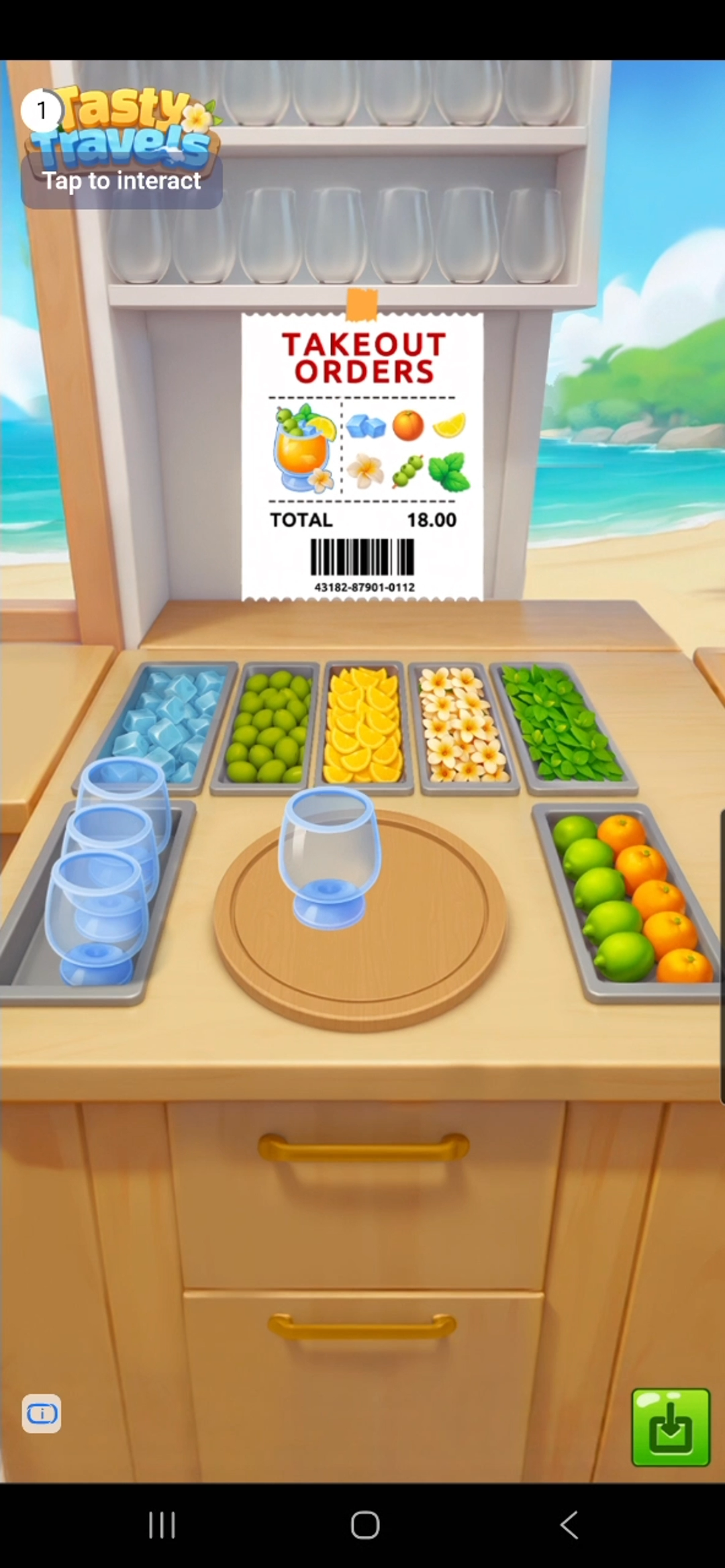
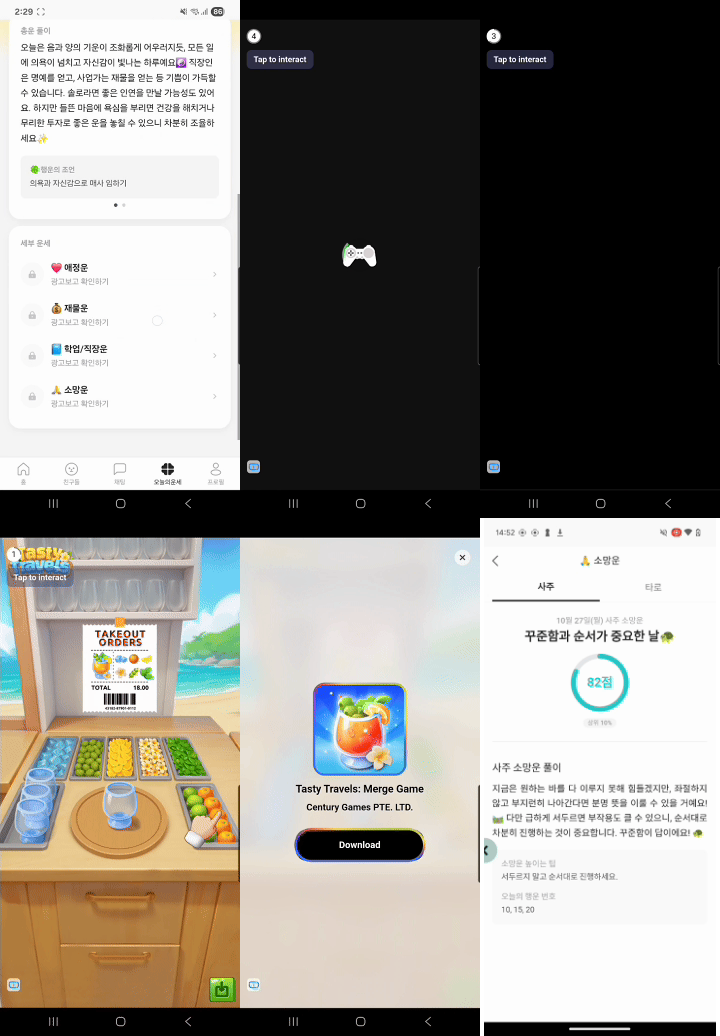
* 화면 전체를 덮는 형태로 노출되는 광고입니다.
* 이미지/동영상 모두 포함되나 동영상 소재가 더 많이 노출되며 일반적으로 5초 후부터 스킵이 가능합니다.
 ### How It Works
 ***
## 광고 연동하기
```kotlin theme={null}
val adUnit = DaroInterstitialAdUnit(
key = ${AdUnitId},
placement = ${placement}, //로그 상 보여질 이름입니다. 공백을 보내도 무관합니다.
)
```
```kotlin theme={null}
val loader = DaroInterstitialAdLoader(
context = context,
adUnit = adUnit
)
loader.setListener(object : DaroInterstitialAdLoaderListener {
override fun onAdLoadSuccess(ad: DaroInterstitialAd, adInfo: DaroAdInfo) {
// ...
}
override fun onAdLoadFail(err: DaroAdLoadError) {
// ...
}
})
loader.load()
```
```kotlin theme={null}
loader.setListener(object : DaroInterstitialAdLoaderListener {
override fun onAdLoadSuccess(ad: DaroInterstitialAd, adInfo: DaroAdInfo) {
ad.setListener(object : DaroInterstitialAdListener {
override fun onAdImpression(adInfo: DaroAdInfo) {}
override fun onAdClicked(adInfo: DaroAdInfo) {}
override fun onShown(adInfo: DaroAdInfo) {}
override fun onFailedToShow(adInfo: DaroAdInfo, error: DaroAdDisplayFailError) {}
override fun onDismiss(adInfo: DaroAdInfo) {}
})
ad.show(activity = this@MainActivity)
}
override fun onAdLoadFail(err: DaroAdLoadError) {}
})
```
```kotlin theme={null}
ad.destroy()
```
***
## Example
```kotlin expandable theme={null}
private fun showInterstitialAd() {
DaroInterstitialAdLoader(
context = context,
adUnit = DaroInterstitialAdUnit(
key = ${AdUnitId},
placement = ${placement},
),
).apply {
setListener(
object : DaroInterstitialAdLoaderListener {
override fun onAdLoadSuccess(
ad: DaroInterstitialAd,
adInfo: DaroAdInfo,
) {
Log.d("Ad Test", "interstitial - success")
ad.setListener(object : DaroInterstitialAdListener {
override fun onAdImpression(adInfo: DaroAdInfo) {
Log.d("Ad Test", "interstitial - impression")
}
override fun onAdClicked(adInfo: DaroAdInfo) {
Log.d("Ad Test", "interstitial - clicked")
}
override fun onShown(adInfo: DaroAdInfo) {
Log.d("Ad Test", "interstitial - onShown")
}
override fun onFailedToShow(
adInfo: DaroAdInfo,
error: DaroAdDisplayFailError,
) {
Log.d("Ad Test", "interstitial - onFailedToShow")
}
override fun onDismiss(adInfo: DaroAdInfo) {
Log.d("Ad Test", "interstitial - onDismiss")
ad.destroy()
}
})
ad.show(activity = this@MainActivity)
}
override fun onAdLoadFail(err: DaroAdLoadError) {
Log.d("Ad Test", "interstitial - fail : ${err.message}")
}
}
)
load()
}
}
```
***
## 트러블슈팅: 광고 닫기 버튼 겹침 이슈
DARO Android SDK를 사용해 전면 광고를 표시할 때, 일부 광고 크리에이티브에서 Status Bar 또는 디스플레이 컷아웃(노치, 펀치홀) 영역과 UI가 겹쳐 보이는 현상이 발생할 수 있습니다.
아래는 광고가 표시되는 동안만 Status Bar를 숨기고, 광고 종료 시 원복하는 방법을 안내합니다.
```kotlin theme={null}
// 광고 표시 전 - Status Bar 숨기기
private fun hideStatusBar(activity: Activity) {
WindowCompat.setDecorFitsSystemWindows(activity.window, false)
WindowInsetsControllerCompat(activity.window, activity.window.decorView).apply {
hide(WindowInsetsCompat.Type.statusBars())
systemBarsBehavior = WindowInsetsControllerCompat.BEHAVIOR_SHOW_TRANSIENT_BARS_BY_SWIPE
}
}
// 광고 종료 후 - Status Bar 복구
private fun showStatusBar(activity: Activity) {
WindowCompat.setDecorFitsSystemWindows(activity.window, true)
WindowInsetsControllerCompat(activity.window, activity.window.decorView).apply {
show(WindowInsetsCompat.Type.statusBars())
}
}
```
광고 리스너에서 다음과 같이 적용합니다:
```kotlin theme={null}
ad.setListener(object : DaroInterstitialAdListener {
override fun onAdImpression(adInfo: DaroAdInfo) {}
override fun onAdClicked(adInfo: DaroAdInfo) {}
override fun onShown(adInfo: DaroAdInfo) {
hideStatusBar(activity) // 방어적 재호출
}
override fun onFailedToShow(adInfo: DaroAdInfo, error: DaroAdDisplayFailError) {
showStatusBar(activity) // 실패 시 복구
}
override fun onDismiss(adInfo: DaroAdInfo) {
showStatusBar(activity) // 닫힘 시 복구
ad.destroy()
}
})
hideStatusBar(activity) // show() 직전에 호출
ad.show(activity = this@MainActivity)
```
***
## 광고 연동하기
```kotlin theme={null}
val adUnit = DaroInterstitialAdUnit(
key = ${AdUnitId},
placement = ${placement}, //로그 상 보여질 이름입니다. 공백을 보내도 무관합니다.
)
```
```kotlin theme={null}
val loader = DaroInterstitialAdLoader(
context = context,
adUnit = adUnit
)
loader.setListener(object : DaroInterstitialAdLoaderListener {
override fun onAdLoadSuccess(ad: DaroInterstitialAd, adInfo: DaroAdInfo) {
// ...
}
override fun onAdLoadFail(err: DaroAdLoadError) {
// ...
}
})
loader.load()
```
```kotlin theme={null}
loader.setListener(object : DaroInterstitialAdLoaderListener {
override fun onAdLoadSuccess(ad: DaroInterstitialAd, adInfo: DaroAdInfo) {
ad.setListener(object : DaroInterstitialAdListener {
override fun onAdImpression(adInfo: DaroAdInfo) {}
override fun onAdClicked(adInfo: DaroAdInfo) {}
override fun onShown(adInfo: DaroAdInfo) {}
override fun onFailedToShow(adInfo: DaroAdInfo, error: DaroAdDisplayFailError) {}
override fun onDismiss(adInfo: DaroAdInfo) {}
})
ad.show(activity = this@MainActivity)
}
override fun onAdLoadFail(err: DaroAdLoadError) {}
})
```
```kotlin theme={null}
ad.destroy()
```
***
## Example
```kotlin expandable theme={null}
private fun showInterstitialAd() {
DaroInterstitialAdLoader(
context = context,
adUnit = DaroInterstitialAdUnit(
key = ${AdUnitId},
placement = ${placement},
),
).apply {
setListener(
object : DaroInterstitialAdLoaderListener {
override fun onAdLoadSuccess(
ad: DaroInterstitialAd,
adInfo: DaroAdInfo,
) {
Log.d("Ad Test", "interstitial - success")
ad.setListener(object : DaroInterstitialAdListener {
override fun onAdImpression(adInfo: DaroAdInfo) {
Log.d("Ad Test", "interstitial - impression")
}
override fun onAdClicked(adInfo: DaroAdInfo) {
Log.d("Ad Test", "interstitial - clicked")
}
override fun onShown(adInfo: DaroAdInfo) {
Log.d("Ad Test", "interstitial - onShown")
}
override fun onFailedToShow(
adInfo: DaroAdInfo,
error: DaroAdDisplayFailError,
) {
Log.d("Ad Test", "interstitial - onFailedToShow")
}
override fun onDismiss(adInfo: DaroAdInfo) {
Log.d("Ad Test", "interstitial - onDismiss")
ad.destroy()
}
})
ad.show(activity = this@MainActivity)
}
override fun onAdLoadFail(err: DaroAdLoadError) {
Log.d("Ad Test", "interstitial - fail : ${err.message}")
}
}
)
load()
}
}
```
***
## 트러블슈팅: 광고 닫기 버튼 겹침 이슈
DARO Android SDK를 사용해 전면 광고를 표시할 때, 일부 광고 크리에이티브에서 Status Bar 또는 디스플레이 컷아웃(노치, 펀치홀) 영역과 UI가 겹쳐 보이는 현상이 발생할 수 있습니다.
아래는 광고가 표시되는 동안만 Status Bar를 숨기고, 광고 종료 시 원복하는 방법을 안내합니다.
```kotlin theme={null}
// 광고 표시 전 - Status Bar 숨기기
private fun hideStatusBar(activity: Activity) {
WindowCompat.setDecorFitsSystemWindows(activity.window, false)
WindowInsetsControllerCompat(activity.window, activity.window.decorView).apply {
hide(WindowInsetsCompat.Type.statusBars())
systemBarsBehavior = WindowInsetsControllerCompat.BEHAVIOR_SHOW_TRANSIENT_BARS_BY_SWIPE
}
}
// 광고 종료 후 - Status Bar 복구
private fun showStatusBar(activity: Activity) {
WindowCompat.setDecorFitsSystemWindows(activity.window, true)
WindowInsetsControllerCompat(activity.window, activity.window.decorView).apply {
show(WindowInsetsCompat.Type.statusBars())
}
}
```
광고 리스너에서 다음과 같이 적용합니다:
```kotlin theme={null}
ad.setListener(object : DaroInterstitialAdListener {
override fun onAdImpression(adInfo: DaroAdInfo) {}
override fun onAdClicked(adInfo: DaroAdInfo) {}
override fun onShown(adInfo: DaroAdInfo) {
hideStatusBar(activity) // 방어적 재호출
}
override fun onFailedToShow(adInfo: DaroAdInfo, error: DaroAdDisplayFailError) {
showStatusBar(activity) // 실패 시 복구
}
override fun onDismiss(adInfo: DaroAdInfo) {
showStatusBar(activity) // 닫힘 시 복구
ad.destroy()
}
})
hideStatusBar(activity) // show() 직전에 호출
ad.show(activity = this@MainActivity)
```