> ## Documentation Index
> Fetch the complete documentation index at: https://guide.daro.so/llms.txt
> Use this file to discover all available pages before exploring further.
# 라이트 팝업 광고
> Unity 프로젝트에서 DARO 라이트 팝업 광고를 구현하는 방법을 알아봅니다.
## 라이트 팝업 광고 형태 소개
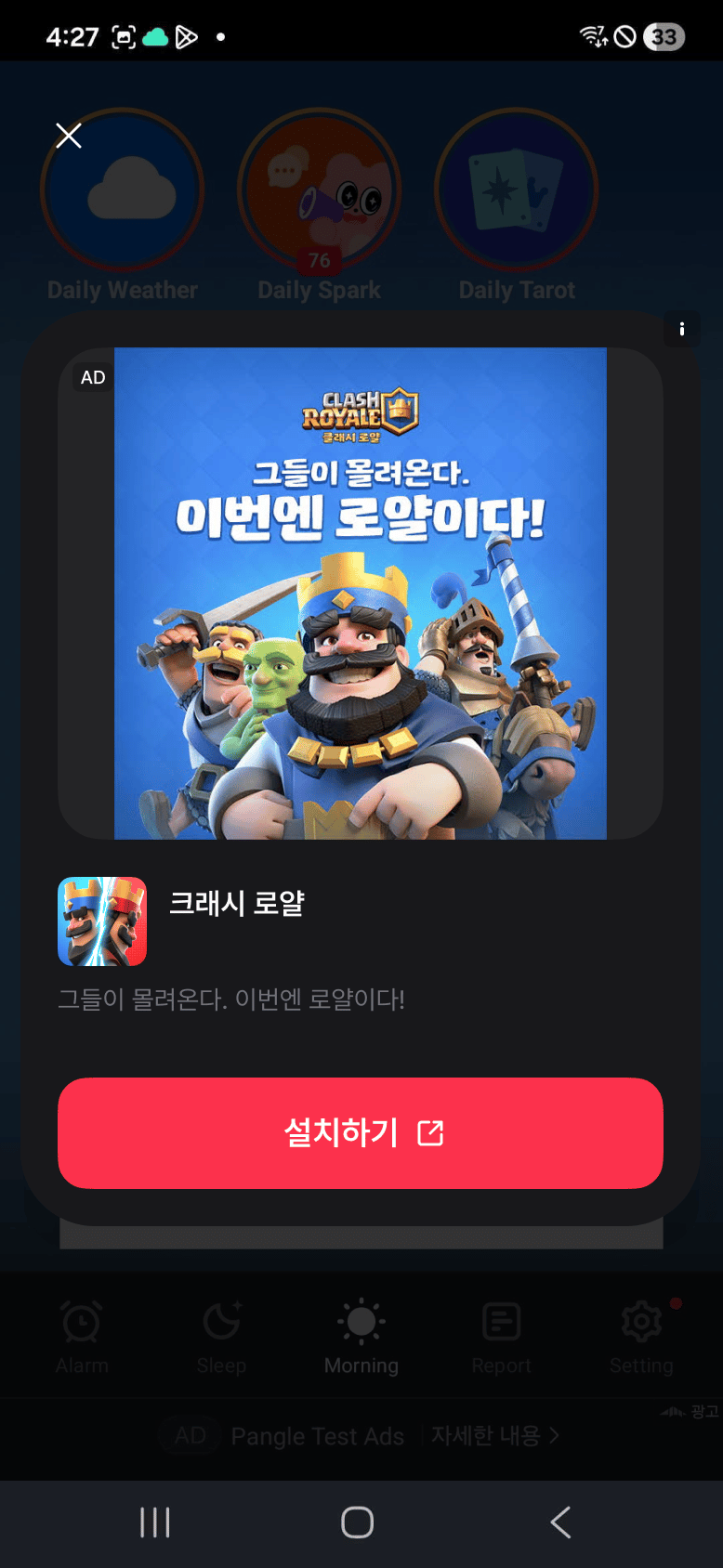
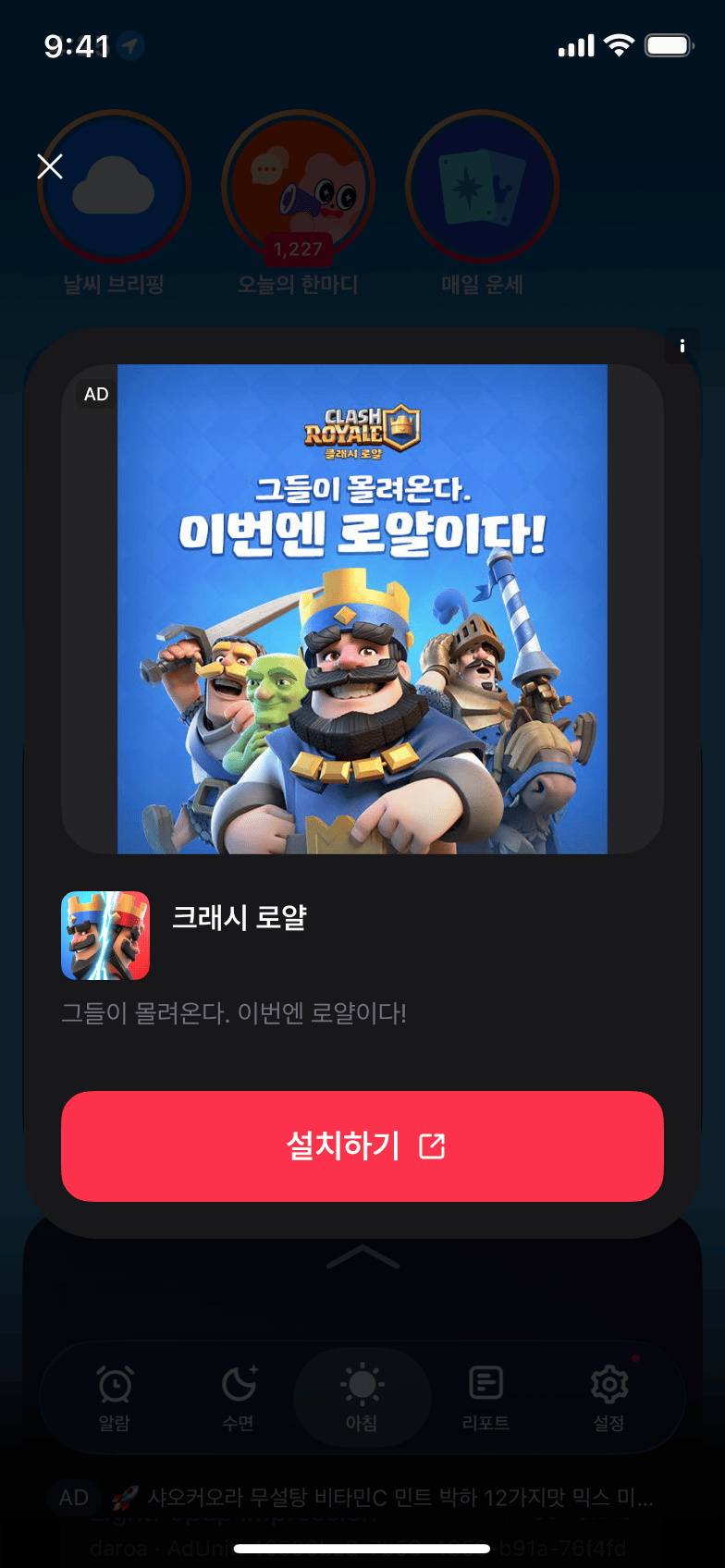
* 화면 위에 팝업 형태로 노출되는 광고입니다.
* 색상과 닫기 버튼 문구는 `DaroLightPopupAdOptions`로 설정할 수 있습니다.
### Android 라이트 팝업 예시
 ### iOS 라이트 팝업 예시
 ***
라이트 팝업 형식으로 발급된 광고 지면 ID를 사용하세요. 네이티브 광고 지면 ID로 대체하면 `Ad unit type mismatch: requested=light_popup, server=native` 오류로 로드가 실패합니다.
iOS 가로 화면에서는 미디어 또는 CTA가 잘릴 수 있습니다. `0.5.0-rc.4`에도 이 제약이 남아 있으므로 iOS에서는 세로 화면에서 사용하세요.
## 광고 연동하기
```csharp theme={null}
var options = new DaroLightPopupAdOptions
{
CloseButtonText = "닫기"
};
```
```csharp theme={null}
private DaroLightPopupAd ad;
ad = new DaroLightPopupAd("your-lightpopup-ad-unit-id", options);
```
```csharp theme={null}
ad.OnAdLoaded += info => Debug.Log("light popup loaded");
ad.OnAdFailedToLoad += error => Debug.LogWarning(error.Message);
ad.OnAdDismissed += info => Debug.Log("dismissed");
```
```csharp theme={null}
ad.Load();
if (ad != null && ad.IsReady())
{
ad.Show();
}
```
```csharp theme={null}
ad?.Dispose();
ad = null;
```
***
## Example
```csharp expandable theme={null}
using Daro;
using UnityEngine;
public sealed class LightPopupHost : MonoBehaviour
{
[SerializeField] private string adUnitId = "your-lightpopup-ad-unit-id";
private DaroLightPopupAd ad;
private void OnEnable()
{
var options = new DaroLightPopupAdOptions
{
CloseButtonText = "Close"
};
ad = new DaroLightPopupAd(adUnitId, options);
ad.OnAdLoaded += info => Debug.Log("light popup loaded");
ad.OnAdFailedToLoad += error => Debug.LogWarning(error.Message);
ad.Load();
}
public void Show()
{
if (ad != null && ad.IsReady())
{
ad.Show();
}
}
private void OnDisable()
{
ad?.Dispose();
ad = null;
}
}
```
***
라이트 팝업 형식으로 발급된 광고 지면 ID를 사용하세요. 네이티브 광고 지면 ID로 대체하면 `Ad unit type mismatch: requested=light_popup, server=native` 오류로 로드가 실패합니다.
iOS 가로 화면에서는 미디어 또는 CTA가 잘릴 수 있습니다. `0.5.0-rc.4`에도 이 제약이 남아 있으므로 iOS에서는 세로 화면에서 사용하세요.
## 광고 연동하기
```csharp theme={null}
var options = new DaroLightPopupAdOptions
{
CloseButtonText = "닫기"
};
```
```csharp theme={null}
private DaroLightPopupAd ad;
ad = new DaroLightPopupAd("your-lightpopup-ad-unit-id", options);
```
```csharp theme={null}
ad.OnAdLoaded += info => Debug.Log("light popup loaded");
ad.OnAdFailedToLoad += error => Debug.LogWarning(error.Message);
ad.OnAdDismissed += info => Debug.Log("dismissed");
```
```csharp theme={null}
ad.Load();
if (ad != null && ad.IsReady())
{
ad.Show();
}
```
```csharp theme={null}
ad?.Dispose();
ad = null;
```
***
## Example
```csharp expandable theme={null}
using Daro;
using UnityEngine;
public sealed class LightPopupHost : MonoBehaviour
{
[SerializeField] private string adUnitId = "your-lightpopup-ad-unit-id";
private DaroLightPopupAd ad;
private void OnEnable()
{
var options = new DaroLightPopupAdOptions
{
CloseButtonText = "Close"
};
ad = new DaroLightPopupAd(adUnitId, options);
ad.OnAdLoaded += info => Debug.Log("light popup loaded");
ad.OnAdFailedToLoad += error => Debug.LogWarning(error.Message);
ad.Load();
}
public void Show()
{
if (ad != null && ad.IsReady())
{
ad.Show();
}
}
private void OnDisable()
{
ad?.Dispose();
ad = null;
}
}
```