> ## Documentation Index
> Fetch the complete documentation index at: https://guide.daro.so/llms.txt
> Use this file to discover all available pages before exploring further.

# 지급정보 입력하기

DARO 서비스를 활용하기 위해서는 지급정보를 입력해야 합니다. 해당 값을 입력하지 않으면 DARO를 통해 발생한 수익을 수취할 수 없습니다. 따라서 가급적, 광고 수익화를 시작하기 전에 지급정보를 입력하고 사용해주시기 바랍니다.

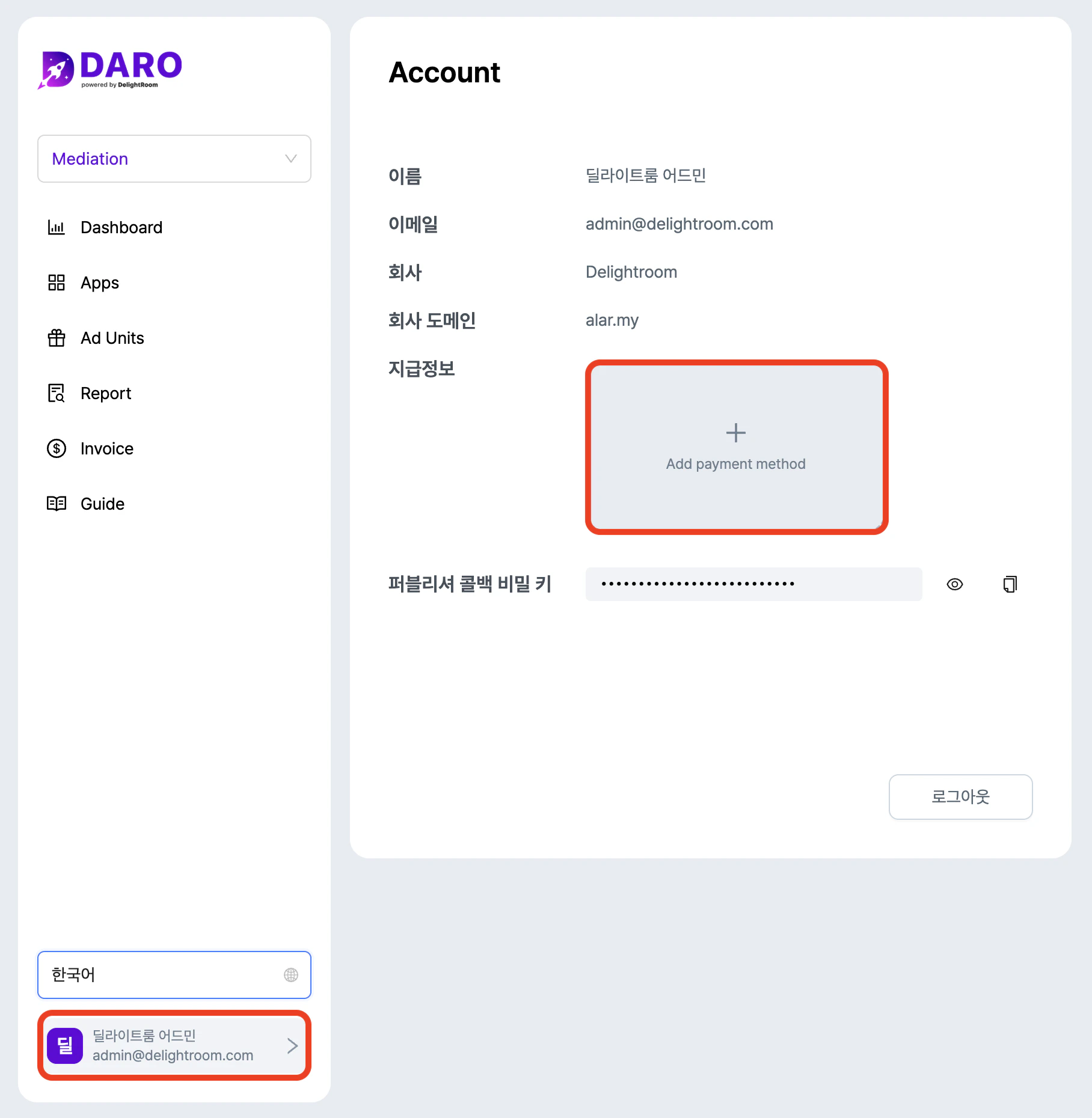
1. 대시보드에서 아래 이미지와 같이 좌측 하단 계정 버튼을 클릭해서 Payment Info 화면으로 이동하세요.
   <img src="https://mintcdn.com/delightroom-5a71a6a8/j3-znW7LKrbpP3mb/how-to-use/img/payment-info_ko.png?fit=max&auto=format&n=j3-znW7LKrbpP3mb&q=85&s=7b29fa2dcbfba89923f55e85ceea87cb" alt="/how-to-use/img/payment-info-detail.png+_existingInIndexedDbMintlify" width="1816" height="1860" data-path="how-to-use/img/payment-info_ko.png" />

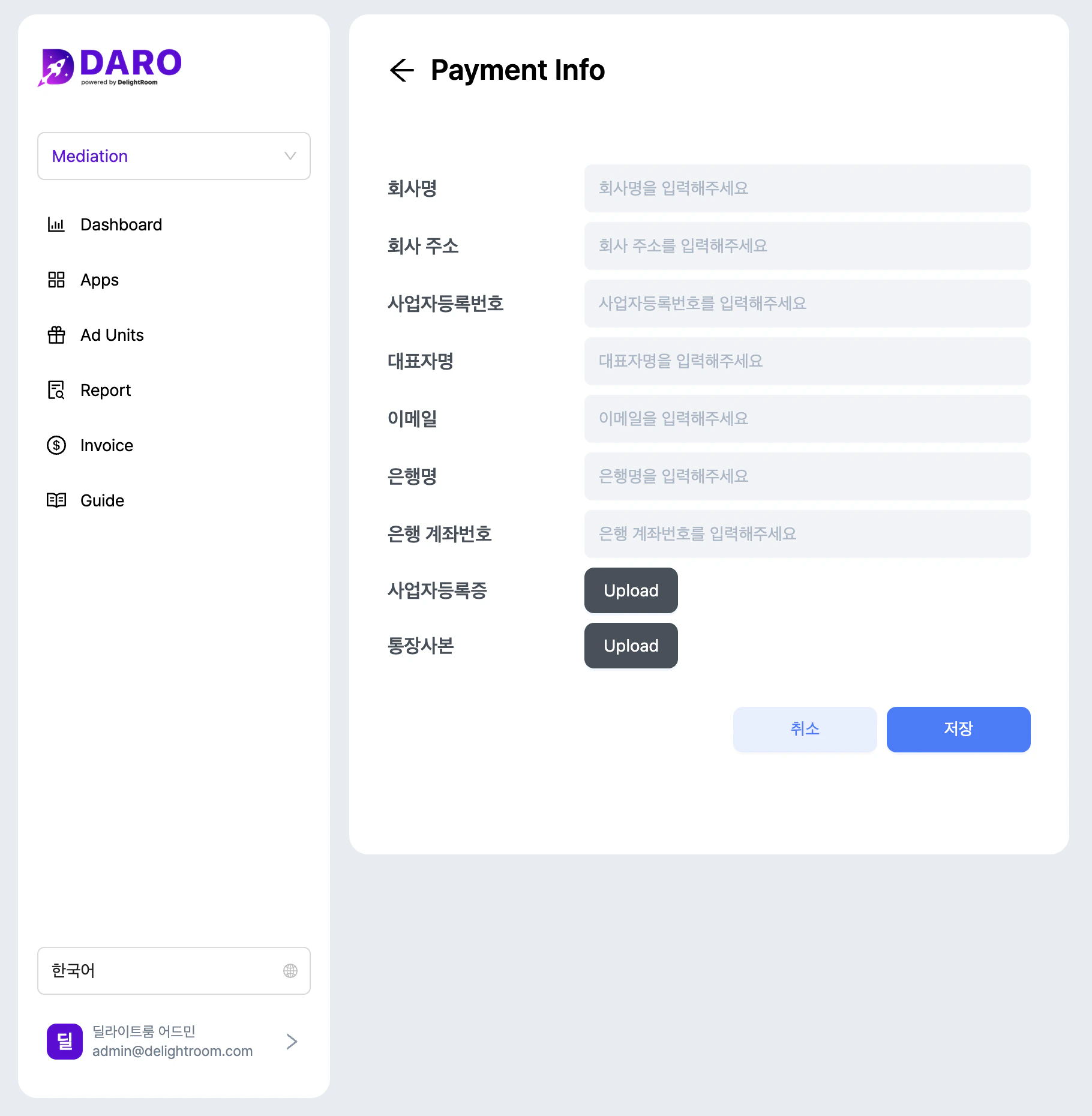
2. 비어 있는 내용을 모두 입력하세요. (입력 중 문의사항이 있으면 [cs@daro.so](mailto:cs@daro.so) 이메일로 문의해주세요.)
   <img src="https://mintcdn.com/delightroom-5a71a6a8/j3-znW7LKrbpP3mb/how-to-use/img/payment-info-detail_ko.png?fit=max&auto=format&n=j3-znW7LKrbpP3mb&q=85&s=265a24ba14c3578917f92511ac76614d" alt="/how-to-use/img/payment-info-detail.png+_existingInIndexedDbMintlify" width="1820" height="1860" data-path="how-to-use/img/payment-info-detail_ko.png" />
