> ## Documentation Index
> Fetch the complete documentation index at: https://guide.daro.so/llms.txt
> Use this file to discover all available pages before exploring further.
# React Native Migration Guide
> Migrate to the latest DARO React Native SDK with platform-specific updates.
export const androidPlguinLatestVersion = '1.0.13';
export const androidDaroMLatestVersion = '1.3.15';
## Project Setup
Update both Android and iOS project settings:
Change the `daro-plugin` dependency.
Latest version
* daro-plugin: {androidPlguinLatestVersion}
```kotlin kotlin {12} theme={null}
buildscript {
repositories {
google()
mavenCentral()
maven { url = uri("https://artifacts.applovin.com/android") }
}
dependencies {
// as-is
// classpath("com.github.delightroom:daro-android-plugin:0.4.4")
// to-be
classpath("so.daro:daro-plugin:{version}")
classpath("com.applovin.quality:AppLovinQualityServiceGradlePlugin:5.5.2")
}
}
```
```groovy groovy {12} theme={null}
buildscript {
repositories {
google()
mavenCentral()
maven { url 'https://artifacts.applovin.com/android' }
}
dependencies {
// as-is
// classpath 'com.github.delightroom:daro-android-plugin:0.4.4'
// to-be
classpath 'so.daro:daro-plugin:{version}'
classpath 'com.applovin.quality:AppLovinQualityServiceGradlePlugin:5.5.2'
}
}
```
```kotlin kotlin {7} theme={null}
plugins {
...
// as-is
// id("droom.daro.m")
// to-be
id("so.daro.m")
...
}
```
```groovy groovy {7} theme={null}
plugins {
...
// as-is
// id 'droom.daro.m'
// to-be
id 'so.daro.m'
...
}
```
1. Delete `daro-services.json` and download `daro-key.txt` and add it as follows.
* If using common configuration without flavor distinction
```
app/
└── daro-key.txt
```
* If using different configuration by flavor
```
app/
└── src/
├── debug/
│ └── daro-key.txt
└── release/
└── daro-key.txt
```
`daro-key.txt` can be downloaded from the DARO dashboard.
2. Add `daroAppKey` to the `gradle.properties` file.
```properties {1} theme={null}
daroAppKey={APP_KEY}
```
The daroAppKey can be found in the DARO dashboard.
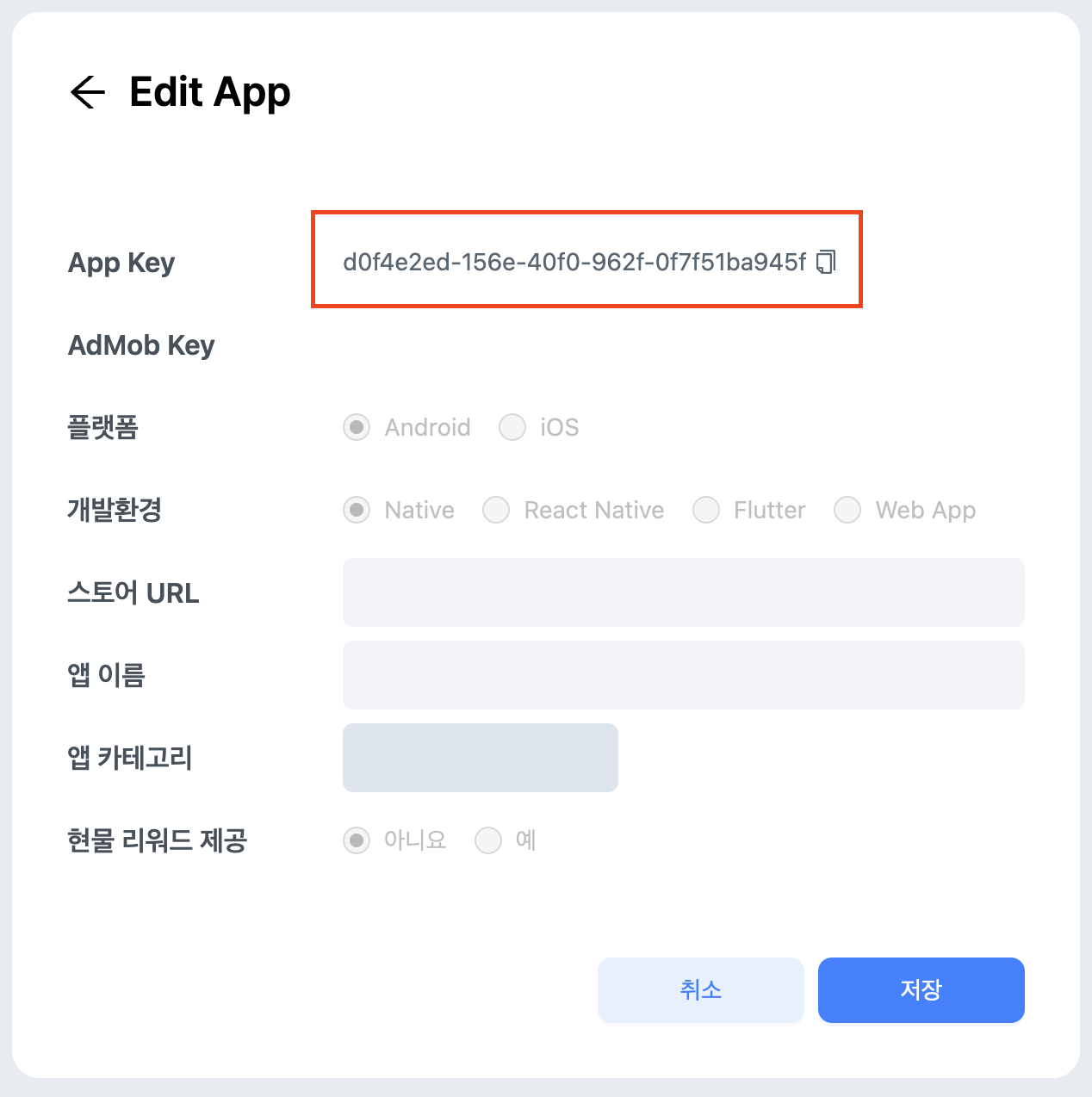 Add the dependency as follows.
Latest version
* daro-m: {androidDaroMLatestVersion}
```kotlin kotlin {3} theme={null}
dependencies {
...
implementation("so.daro:daro-m:{version}")
...
}
```
```groovy groovy {3} theme={null}
dependencies {
...
implementation 'so.daro:daro-m:{version}'
...
}
```
* `daro-service.json` -> changed to `ios-daro-key.txt`
* Info.plist: Configure `DaroAppKey`
`ios-daro-key.txt` can be downloaded from the DARO dashboard.
`DaroAppKey` can be found in the DARO dashboard.
For more details, please refer to the [integration documentation](/en/sdk-integration/ios_new/get-started)
## Code Implementation
The Ad Unit Id used previously is not available in the new SDK.
Add the dependency as follows.
Latest version
* daro-m: {androidDaroMLatestVersion}
```kotlin kotlin {3} theme={null}
dependencies {
...
implementation("so.daro:daro-m:{version}")
...
}
```
```groovy groovy {3} theme={null}
dependencies {
...
implementation 'so.daro:daro-m:{version}'
...
}
```
* `daro-service.json` -> changed to `ios-daro-key.txt`
* Info.plist: Configure `DaroAppKey`
`ios-daro-key.txt` can be downloaded from the DARO dashboard.
`DaroAppKey` can be found in the DARO dashboard.
For more details, please refer to the [integration documentation](/en/sdk-integration/ios_new/get-started)
## Code Implementation
The Ad Unit Id used previously is not available in the new SDK.
Therefore, please get the changed Ad Unit Id from the Daro dashboard and apply it to your code.
Using the existing Ad Unit Id will cause ad load failures. Please make sure to replace the Ad Unit Id.
Support for methods that set extraParameter, localExtraParameter, and placement when loading ads has been discontinued.
If you were using these fields previously, they must be removed.
A feature has been added to control refreshSeconds remotely from the daro dashboard instead of directly controlling it on the client.
If you were changing refreshSeconds previously, please remove that field and apply refreshSeconds from the dashboard.
The internal fields of AdInfo, AdLoadFailedInfo, and AdDisplayFailedInfo provided in existing ad callbacks have been changed.
Please review the callbacks you were using accordingly.