> ## Documentation Index
> Fetch the complete documentation index at: https://guide.daro.so/llms.txt
> Use this file to discover all available pages before exploring further.
# Banner & MREC Ads
> Implement Banner and MREC ads in your Android app.
## Banner & MREC Ad Formats
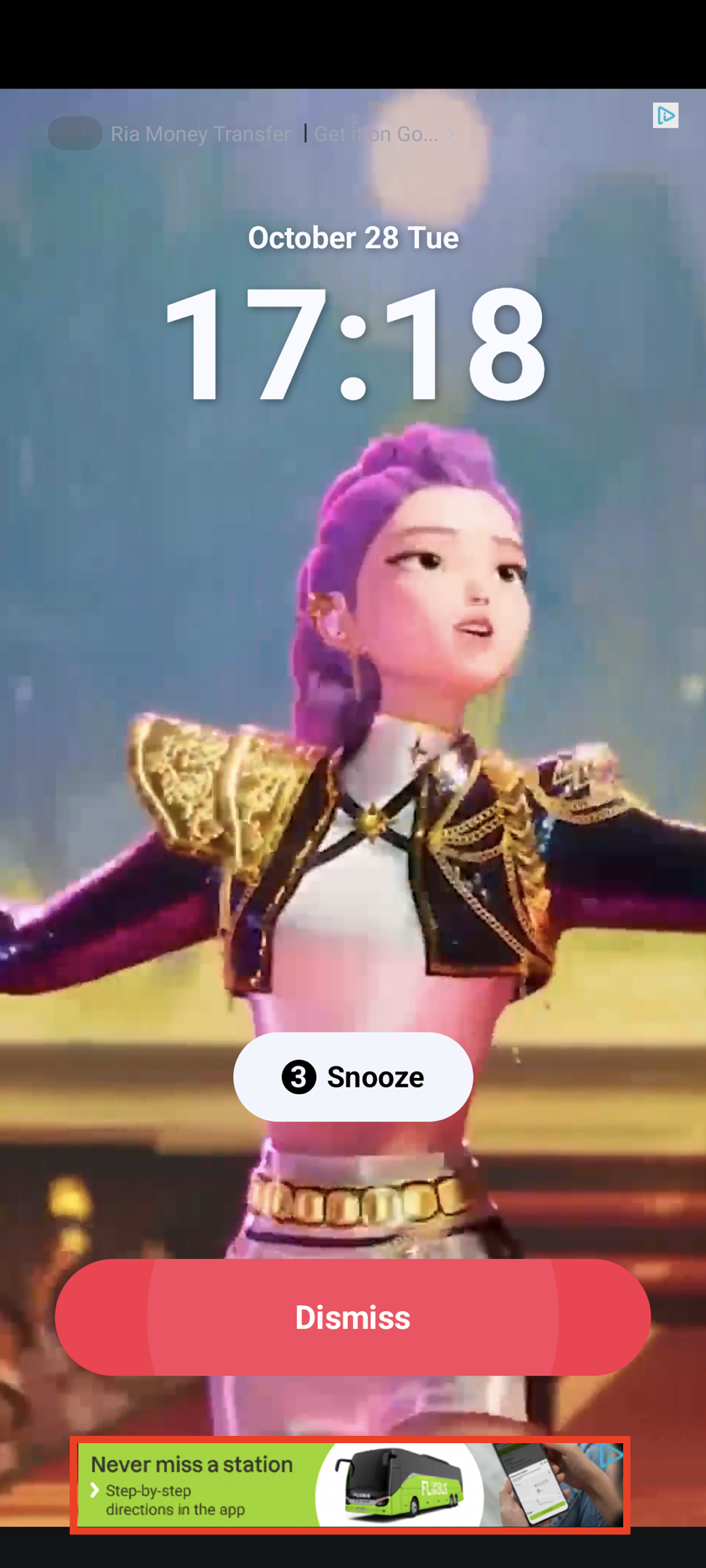
### Banner Ad
Rectangular format (320x50) that occupies part of app layout. Supported by most ad demand sources.
 ### MREC Ad
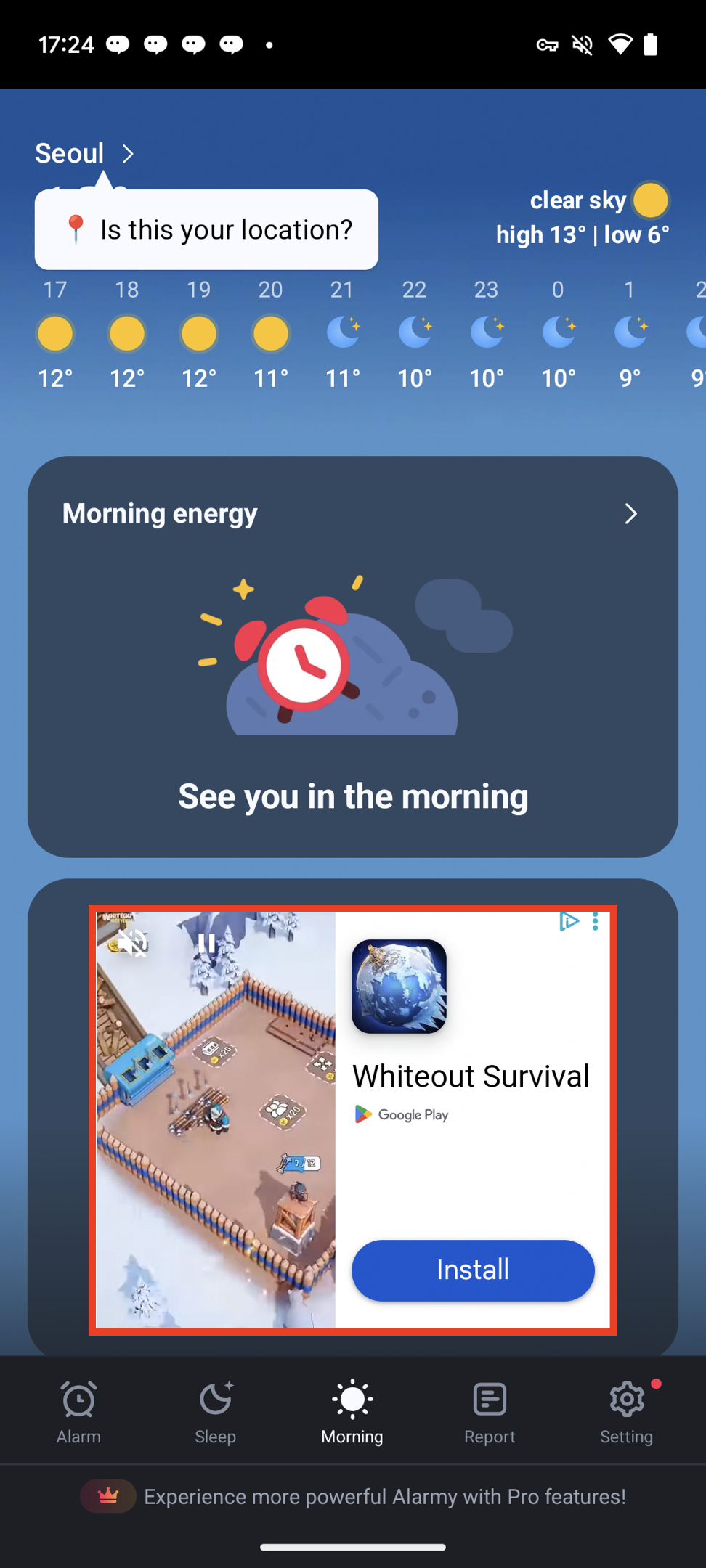
Medium Rectangle format (300x250) with similar characteristics to banner ads.
### MREC Ad
Medium Rectangle format (300x250) with similar characteristics to banner ads.
 ***
## Integrate Ads
```kotlin Banner theme={null}
val adUnit = DaroBannerAdUnit(
key = ${AdUnitId},
placement = ${placement}, //Name to be shown in logs. Can be empty.
bannerSize = DaroBannerSize.Banner,
)
```
```kotlin Mrec theme={null}
val adUnit = DaroBannerAdUnit(
key = ${AdUnitId},
placement = ${placement}, //Name to be shown in logs. Can be empty.
bannerSize = DaroBannerSize.MREC,
)
```
```kotlin theme={null}
val adView = DaroBannerAdView(
context = context,
adUnit = adUnit
)
binding.adViewContainer.addView(adView)
```
```kotlin theme={null}
adView.setListener(object : DaroAdViewListener {
override fun onAdImpression(adInfo: DaroAdInfo) {}
override fun onAdClicked(adInfo: DaroAdInfo) {}
override fun onAdLoadSuccess(ad: DaroViewAd, adInfo: DaroAdInfo) {}
override fun onAdLoadFail(err: DaroAdLoadError) {}
})
```
```kotlin theme={null}
adView.loadAd()
```
* View automatically finds and manages lifecycle for the screen. No need to call `resume`, `pause`, or `destroy` separately.
* If `autoDetectLifecycle` is false (default: true), call `resume`, `pause`, and `destroy` directly.
```kotlin Banner theme={null}
DaroBanner(
adUnit = DaroBannerAdUnit(
key = ${AdUnitId},
placement = ${placement}
bannerSize = DaroBannerSize.Banner,
),
listener = object : DaroAdViewListener {
override fun onAdImpression(adInfo: DaroAdInfo) {}
override fun onAdClicked(adInfo: DaroAdInfo) {}
override fun onAdLoadSuccess(ad: DaroViewAd, adInfo: DaroAdInfo) {}
override fun onAdLoadFail(err: DaroAdLoadError) {}
},
modifier = Modifier
)
```
```kotlin Mrec theme={null}
DaroBanner(
adUnit = DaroBannerAdUnit(
key = ${AdUnitId},
placement = ${placement}
bannerSize = DaroBannerSize.MREC,
),
listener = object : DaroAdViewListener {
override fun onAdImpression(adInfo: DaroAdInfo) {}
override fun onAdClicked(adInfo: DaroAdInfo) {}
override fun onAdLoadSuccess(ad: DaroViewAd, adInfo: DaroAdInfo) {}
override fun onAdLoadFail(err: DaroAdLoadError) {}
},
modifier = Modifier
)
```
Preload ads without creating a view using `DaroBannerAdView.requestPreload()`.
```kotlin theme={null}
DaroBannerAdView.requestPreload(
this,
DaroBannerAdUnit(
key = ${AdUnitId},
placement = ${placement},
bannerSize = ${bannerSize}
)
)
```
`AdUnitId`, `placement`, and `bannerSize` must match in the DaroBannerAdUnit to use preloaded ad immediately.
***
## Integrate Ads
```kotlin Banner theme={null}
val adUnit = DaroBannerAdUnit(
key = ${AdUnitId},
placement = ${placement}, //Name to be shown in logs. Can be empty.
bannerSize = DaroBannerSize.Banner,
)
```
```kotlin Mrec theme={null}
val adUnit = DaroBannerAdUnit(
key = ${AdUnitId},
placement = ${placement}, //Name to be shown in logs. Can be empty.
bannerSize = DaroBannerSize.MREC,
)
```
```kotlin theme={null}
val adView = DaroBannerAdView(
context = context,
adUnit = adUnit
)
binding.adViewContainer.addView(adView)
```
```kotlin theme={null}
adView.setListener(object : DaroAdViewListener {
override fun onAdImpression(adInfo: DaroAdInfo) {}
override fun onAdClicked(adInfo: DaroAdInfo) {}
override fun onAdLoadSuccess(ad: DaroViewAd, adInfo: DaroAdInfo) {}
override fun onAdLoadFail(err: DaroAdLoadError) {}
})
```
```kotlin theme={null}
adView.loadAd()
```
* View automatically finds and manages lifecycle for the screen. No need to call `resume`, `pause`, or `destroy` separately.
* If `autoDetectLifecycle` is false (default: true), call `resume`, `pause`, and `destroy` directly.
```kotlin Banner theme={null}
DaroBanner(
adUnit = DaroBannerAdUnit(
key = ${AdUnitId},
placement = ${placement}
bannerSize = DaroBannerSize.Banner,
),
listener = object : DaroAdViewListener {
override fun onAdImpression(adInfo: DaroAdInfo) {}
override fun onAdClicked(adInfo: DaroAdInfo) {}
override fun onAdLoadSuccess(ad: DaroViewAd, adInfo: DaroAdInfo) {}
override fun onAdLoadFail(err: DaroAdLoadError) {}
},
modifier = Modifier
)
```
```kotlin Mrec theme={null}
DaroBanner(
adUnit = DaroBannerAdUnit(
key = ${AdUnitId},
placement = ${placement}
bannerSize = DaroBannerSize.MREC,
),
listener = object : DaroAdViewListener {
override fun onAdImpression(adInfo: DaroAdInfo) {}
override fun onAdClicked(adInfo: DaroAdInfo) {}
override fun onAdLoadSuccess(ad: DaroViewAd, adInfo: DaroAdInfo) {}
override fun onAdLoadFail(err: DaroAdLoadError) {}
},
modifier = Modifier
)
```
Preload ads without creating a view using `DaroBannerAdView.requestPreload()`.
```kotlin theme={null}
DaroBannerAdView.requestPreload(
this,
DaroBannerAdUnit(
key = ${AdUnitId},
placement = ${placement},
bannerSize = ${bannerSize}
)
)
```
`AdUnitId`, `placement`, and `bannerSize` must match in the DaroBannerAdUnit to use preloaded ad immediately.