> ## Documentation Index
> Fetch the complete documentation index at: https://guide.daro.so/llms.txt
> Use this file to discover all available pages before exploring further.
# Light Popup Ads
> Implement light popup ads in your Unity project.
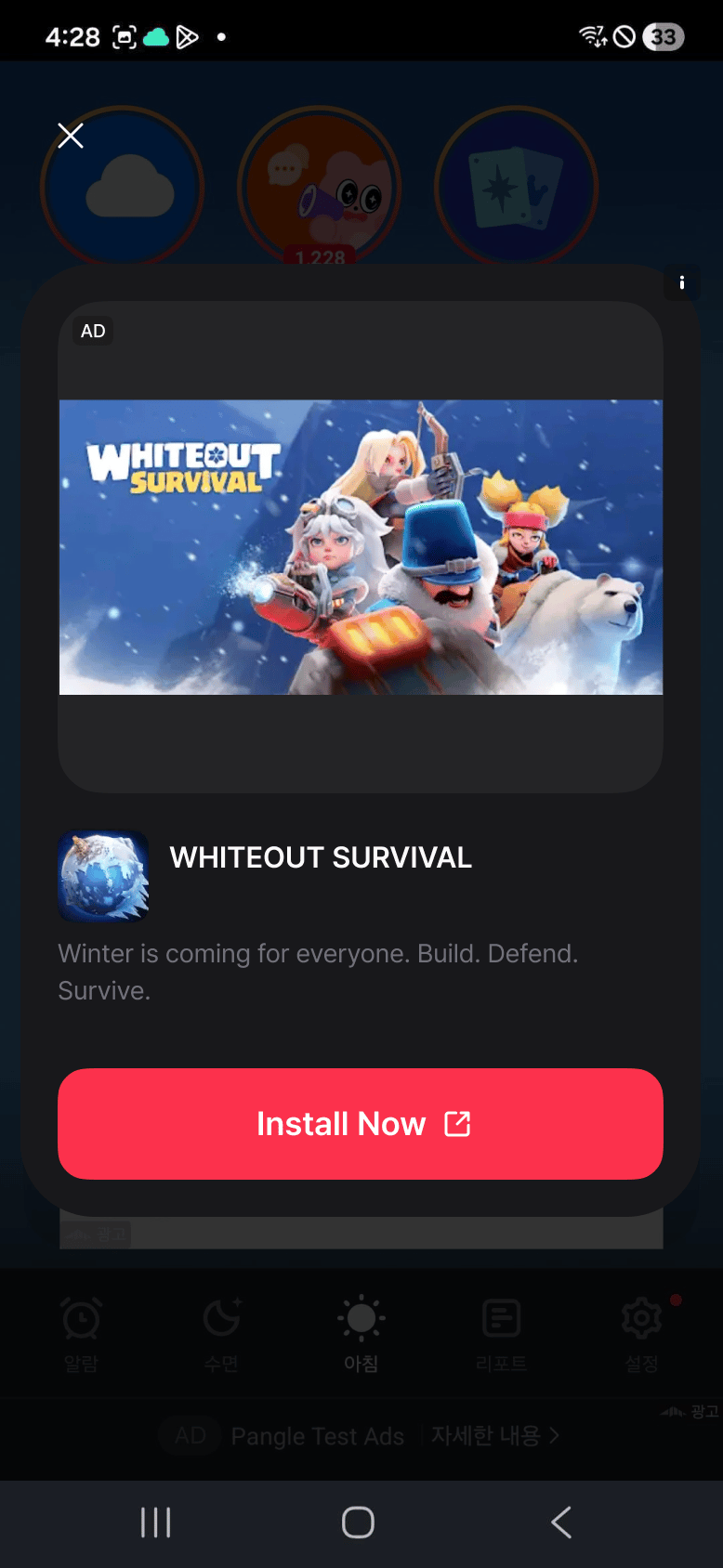
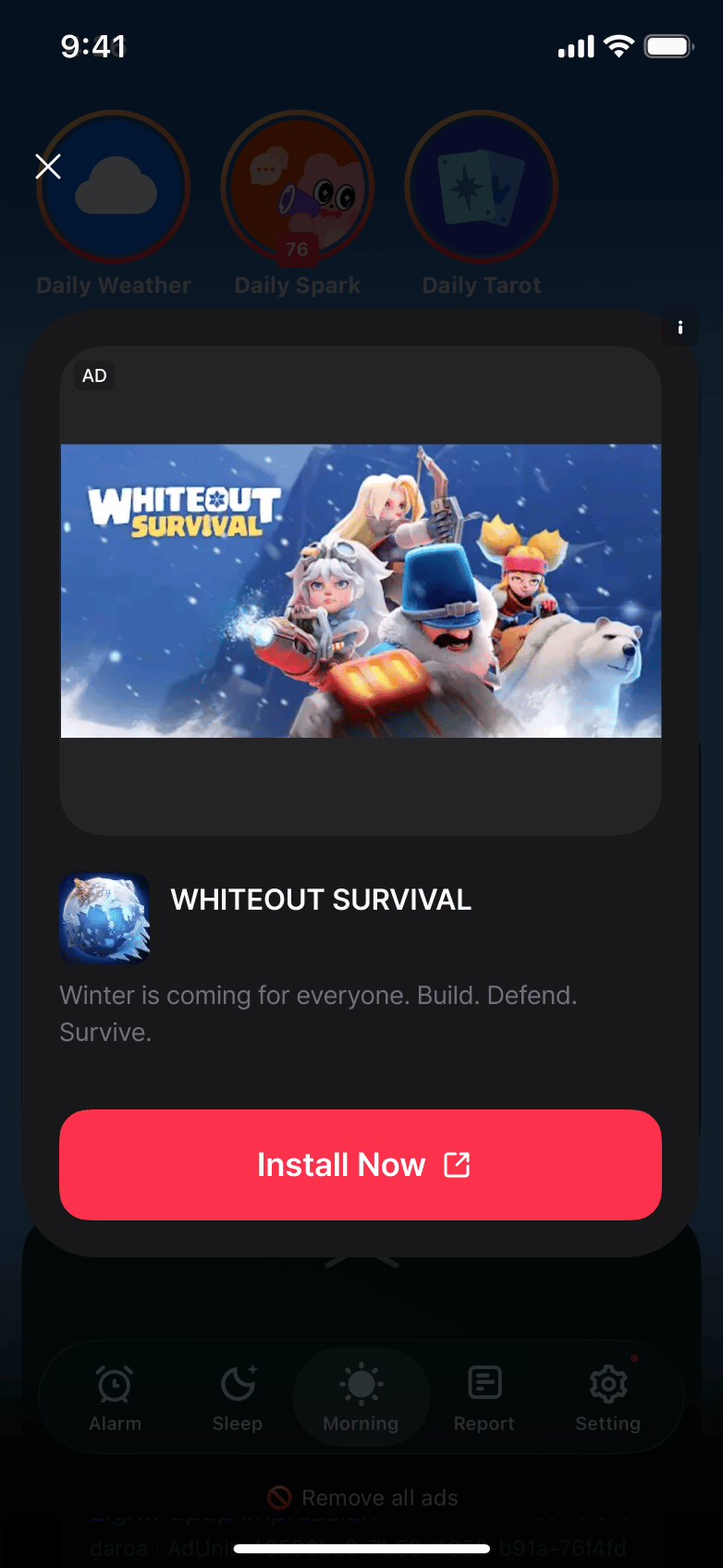
## Light Popup Ad Format
* Ads shown as a popup over the current screen.
* Configure colors and close button text with `DaroLightPopupAdOptions`.
### Android Light Popup Example
 ### iOS Light Popup Example
 ***
Use an Ad Unit Key configured for the light popup format. Substituting a native Ad Unit Key causes loading to fail with `Ad unit type mismatch: requested=light_popup, server=native`.
In iOS landscape orientation, media or the CTA may be clipped. This limitation remains in `0.5.0-rc.4`; use portrait orientation on iOS.
## Integrating Ads
```csharp theme={null}
var options = new DaroLightPopupAdOptions
{
CloseButtonText = "Close"
};
```
```csharp theme={null}
private DaroLightPopupAd ad;
ad = new DaroLightPopupAd("your-lightpopup-ad-unit-id", options);
```
```csharp theme={null}
ad.OnAdLoaded += info => Debug.Log("light popup loaded");
ad.OnAdFailedToLoad += error => Debug.LogWarning(error.Message);
ad.OnAdDismissed += info => Debug.Log("dismissed");
```
```csharp theme={null}
ad.Load();
if (ad != null && ad.IsReady())
{
ad.Show();
}
```
```csharp theme={null}
ad?.Dispose();
ad = null;
```
***
## Example
```csharp expandable theme={null}
using Daro;
using UnityEngine;
public sealed class LightPopupHost : MonoBehaviour
{
[SerializeField] private string adUnitId = "your-lightpopup-ad-unit-id";
private DaroLightPopupAd ad;
private void OnEnable()
{
var options = new DaroLightPopupAdOptions
{
CloseButtonText = "Close"
};
ad = new DaroLightPopupAd(adUnitId, options);
ad.OnAdLoaded += info => Debug.Log("light popup loaded");
ad.OnAdFailedToLoad += error => Debug.LogWarning(error.Message);
ad.Load();
}
public void Show()
{
if (ad != null && ad.IsReady())
{
ad.Show();
}
}
private void OnDisable()
{
ad?.Dispose();
ad = null;
}
}
```
***
Use an Ad Unit Key configured for the light popup format. Substituting a native Ad Unit Key causes loading to fail with `Ad unit type mismatch: requested=light_popup, server=native`.
In iOS landscape orientation, media or the CTA may be clipped. This limitation remains in `0.5.0-rc.4`; use portrait orientation on iOS.
## Integrating Ads
```csharp theme={null}
var options = new DaroLightPopupAdOptions
{
CloseButtonText = "Close"
};
```
```csharp theme={null}
private DaroLightPopupAd ad;
ad = new DaroLightPopupAd("your-lightpopup-ad-unit-id", options);
```
```csharp theme={null}
ad.OnAdLoaded += info => Debug.Log("light popup loaded");
ad.OnAdFailedToLoad += error => Debug.LogWarning(error.Message);
ad.OnAdDismissed += info => Debug.Log("dismissed");
```
```csharp theme={null}
ad.Load();
if (ad != null && ad.IsReady())
{
ad.Show();
}
```
```csharp theme={null}
ad?.Dispose();
ad = null;
```
***
## Example
```csharp expandable theme={null}
using Daro;
using UnityEngine;
public sealed class LightPopupHost : MonoBehaviour
{
[SerializeField] private string adUnitId = "your-lightpopup-ad-unit-id";
private DaroLightPopupAd ad;
private void OnEnable()
{
var options = new DaroLightPopupAdOptions
{
CloseButtonText = "Close"
};
ad = new DaroLightPopupAd(adUnitId, options);
ad.OnAdLoaded += info => Debug.Log("light popup loaded");
ad.OnAdFailedToLoad += error => Debug.LogWarning(error.Message);
ad.Load();
}
public void Show()
{
if (ad != null && ad.IsReady())
{
ad.Show();
}
}
private void OnDisable()
{
ad?.Dispose();
ad = null;
}
}
```