> ## Documentation Index
> Fetch the complete documentation index at: https://guide.daro.so/llms.txt
> Use this file to discover all available pages before exploring further.

# Enter Payment Information

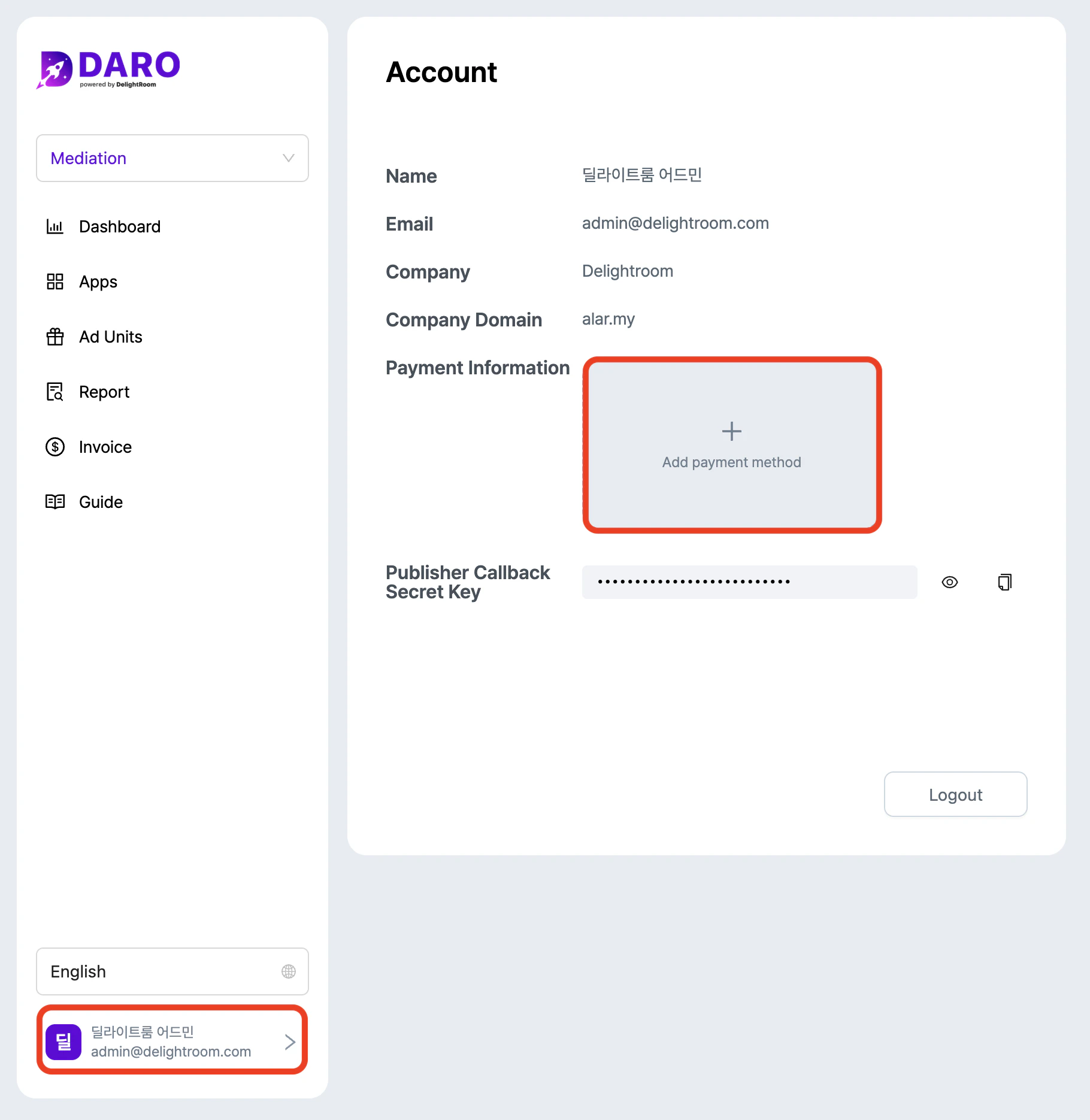
Enter payment information before starting monetization to receive revenue.

1. Click the account button (lower left corner) to access Payment Info.
   <img src="https://mintcdn.com/delightroom-5a71a6a8/j3-znW7LKrbpP3mb/how-to-use/img/payment-info_en.png?fit=max&auto=format&n=j3-znW7LKrbpP3mb&q=85&s=074ed58db8270db765fc3881697131eb" alt="/how-to-use/img/payment-info-detail.png+_existingInIndexedDbMintlify" width="1820" height="1870" data-path="how-to-use/img/payment-info_en.png" />

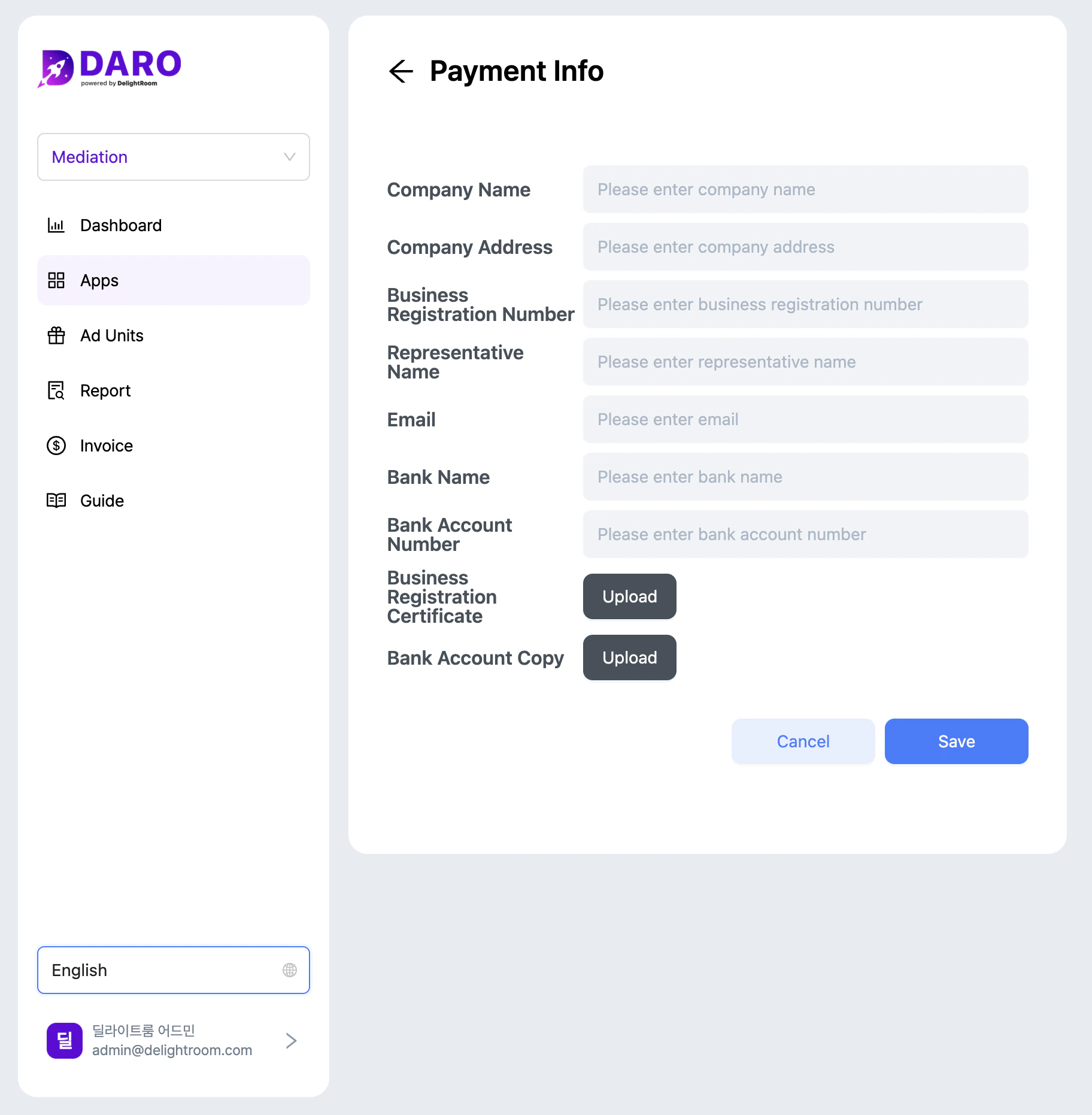
2. Complete all required fields. Contact [cs@daro.so](mailto:cs@daro.so) with questions.
   <img src="https://mintcdn.com/delightroom-5a71a6a8/j3-znW7LKrbpP3mb/how-to-use/img/payment-info-detail_en.png?fit=max&auto=format&n=j3-znW7LKrbpP3mb&q=85&s=567b8f74e91a1782cc961ef6bf5f6752" alt="/how-to-use/img/payment-info-detail.png+_existingInIndexedDbMintlify" width="1824" height="1862" data-path="how-to-use/img/payment-info-detail_en.png" />
