> ## Documentation Index
> Fetch the complete documentation index at: https://guide.daro.so/llms.txt
> Use this file to discover all available pages before exploring further.
# Configure your "app-ads.txt"
> Configure app-ads.txt to prevent ad fraud and ensure proper monetization.
## What is app-ads.txt?
app-ads.txt proves app ownership to advertisers and prevents in-app ad fraud.
* **How it works**: Advertisers verify ownership by checking app-ads.txt when ad requests generate.
* **Why it's required**: Ads may not serve without proper configuration.
* **Maintenance**: Requires periodic updates as ad demand entries change.
## Set Up app-ads.txt
1. Log in to the [Play Console](https://play.google.com/apps/publish/signup/).
2. Select your app.
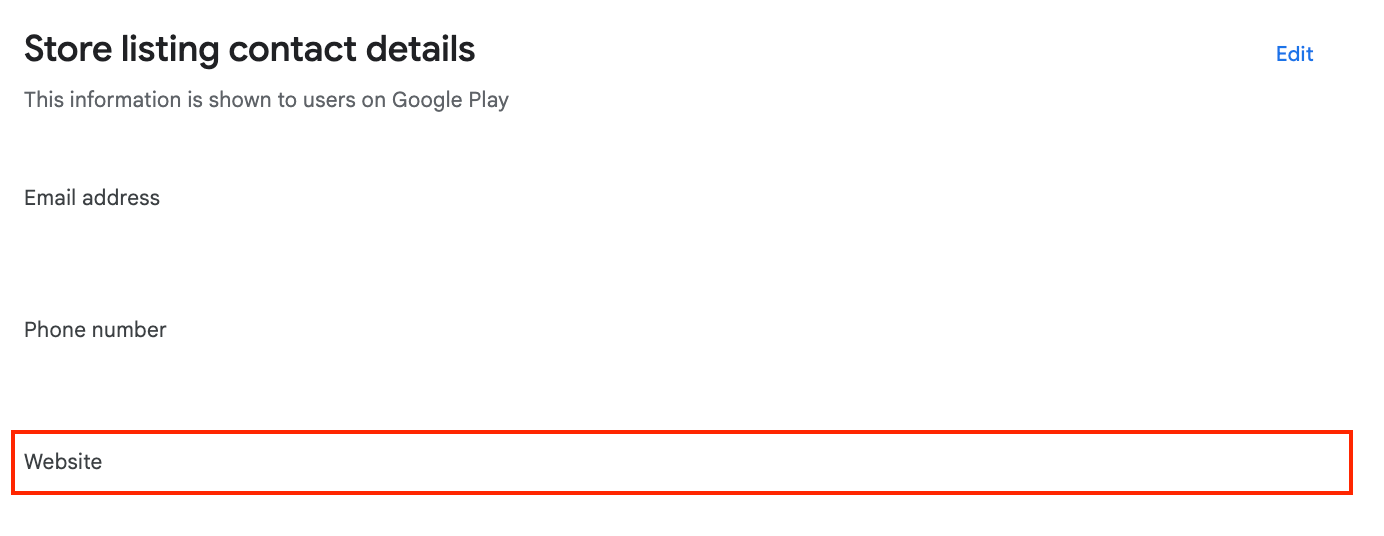
3. Grow users > Store presence > Store settings > Store listing contact details.
4. Scroll to Store listing contact details.
5. Add your developer website URL in the **Website field**.
 1. Log in to [App Store Connect](https://appstoreconnect.apple.com/).
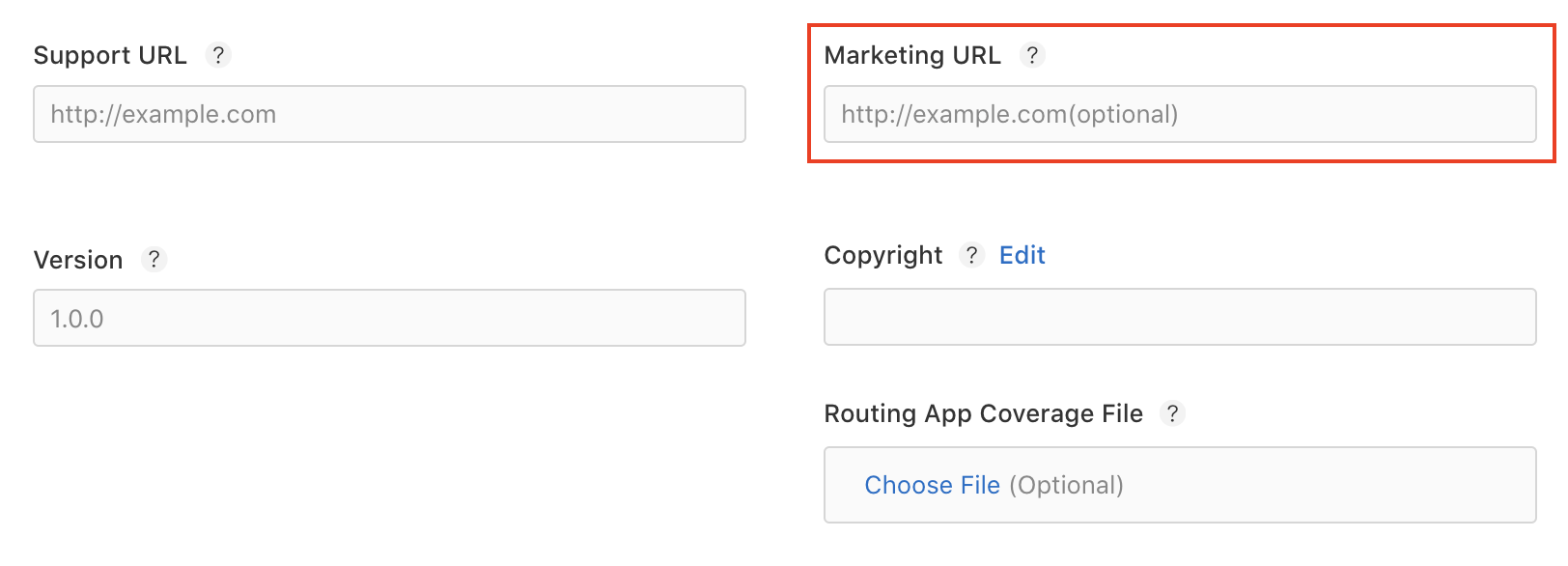
2. Add your developer website URL in the **Marketing URL field** in the app release information.
1. Log in to [App Store Connect](https://appstoreconnect.apple.com/).
2. Add your developer website URL in the **Marketing URL field** in the app release information.
 Create file at `https:///app-ads.txt` in your website root directory.
**Example**: For developer website `https://example.com`, publish at `https://example.com/app-ads.txt`.
Copy complete content from [DARO app-ads.txt](https://publisher.daro.so/app-ads.txt) to your file.
Always use latest version: [publisher.daro.so/app-ads.txt](https://publisher.daro.so/app-ads.txt)
Changes propagate in approximately 4 hours. Wait at least 4 hours before testing.
Create file at `https:///app-ads.txt` in your website root directory.
**Example**: For developer website `https://example.com`, publish at `https://example.com/app-ads.txt`.
Copy complete content from [DARO app-ads.txt](https://publisher.daro.so/app-ads.txt) to your file.
Always use latest version: [publisher.daro.so/app-ads.txt](https://publisher.daro.so/app-ads.txt)
Changes propagate in approximately 4 hours. Wait at least 4 hours before testing.